
- Title: [Link-Updated] GT-I9100 MarshMallow
- Listed: December, 2015
- Last modified: 12/29/2015 2:48 pm
- Version: 6.0.1
You must be logged for ROM download.
23508 total views, 2 today
30 Total favorites
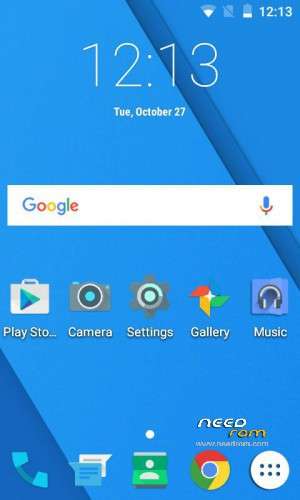
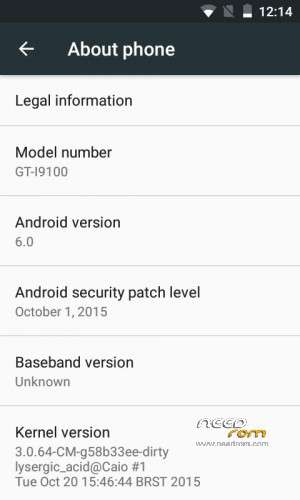
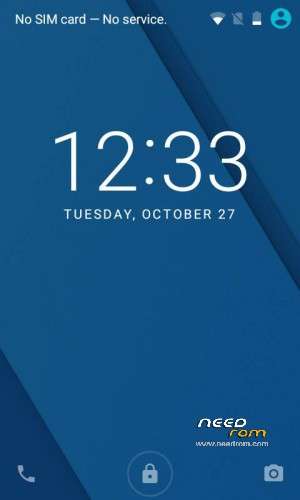

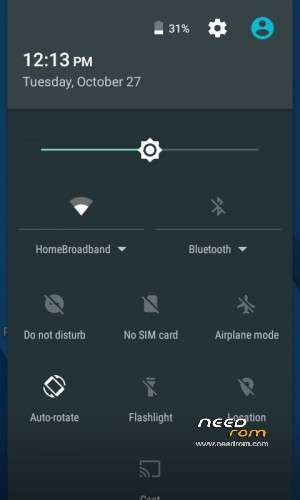
 Member Info

DESCRIPTION

CyanogenMod is a free, community built, aftermarket firmware distribution of Android 6.0.1 Marshmallow, which is designed to increase performance and reliability over stock Android for your device.
#include /* * Your warranty is now void. * * I am not responsible for bricked devices, dead SD cards, * thermonuclear war, or you getting fired because the alarm app failed. Please * do some research if you have any concerns about features included in this ROM * before flashing it! YOU are choosing to make these modifications, and if * you point the finger at me for messing up your device, I will laugh at you. * * Submitting bug reports on nightly builds is the leading * cause of male impotence. */
CyanogenMod is based on the Android Open Source Project with extra contributions from many people within the Android community. It can be used without any need to have any Google application installed. Linked below is a package that has come from another Android project that restore the Google parts. CyanogenMod does still include various hardware-specific code, which is also slowly being open-sourced anyway.
All the source code for CyanogenMod is available in the CyanogenMod Github repo. And if you would like to contribute to CyanogenMod, please visit out Gerrit Code Review.
IMPORTANT INFORMATIONS
Root is now disabled by default on CyanogenMod 13. To enable it go to Settings>Developer Options>Root access and set to Apps only or Apps and ADB.
CyanogenMod 13 comes with Cyanogen Recovery by default, if you don't like it you can flash alternative recoveries using http://adf.ly/1WxzSk
If you get an error message when flashing GApps you're probably running out of space in your /system partition. It is recommended to have 1GB to fit the ROM and the GApps ( The stock partition table has 512mb for /system). http://adf.ly/1WxzSl has a good guide for repartitioning.
CyanogenMod Recovery is not able to mount the sdcards yet, so make sure you install an IsoRec recovery to be able to flash zips from the recovery.
Google is your friend
First time installation instructions:
Download CM-13-XXXXXXXX-NIGHTLY-i9100.zip to your sdcard
Make sure you're using a Kitkat Compatible Recovery
Boot into Recovery
Wipe all your data
Flash CM-13-XXXXXXXX-NIGHTLY-i9100.zip from sdcard
(Optional)Flash Google Apps.zip from sdcard
Reboot
For Donations: https://www.paypal.com/cgi-bin/webscr?cmd=_s-xclick&hosted_button_id=T7Q8PDLXZ8ULS
※Please make a backup of your device before installing or updating ROM
this is a very android 6 ver?
have some bugs. ?
OJO, reportan de http://forum.xda-developers.co.....09#post65361209, que no funicona la SIM (no funciona SMS, ni llamadas).
NOTE: report of http://forum.xda-developers.co.....09#post65361209, SIM (not working SMS or calls) does not work.
That report is already been fix and merged on build 21
What gapps i have to download to make it work? nano, pico, micro? arm32?
if you already modified your system then you can use pico gapps or nano , Be sure its ARM not arm32 or anything else
link for custom recovery? tnx
First flash this http://adf.ly/1YD5jp recovery then flash the rom then flash this isorec recovery http://adf.ly/1YD5jq The reason to flash the recovery because of CM recovery is buggy. You can't flash anything on CM recovery only ADB sideload.
what twrp did you use??
Isorec twrp recovery because cm recovery is buggy
please UPDATE links – your account is suspended1
Download Links not working….
is there any news regarding the offline links?