
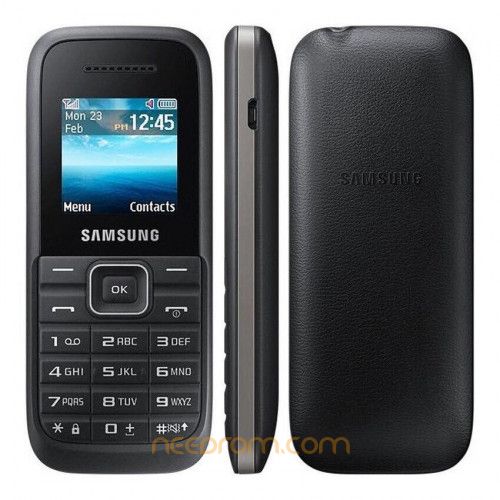
- Title: Samsung Hero SM-B109H
- Listed: May, 2025
- Last modified: 05/04/2025 4:02 pm
- Version: Unlock SIM Operators
You must be logged for ROM download.
3637 total views, 1 today
1 Total favorites
 Member Info
DESCRIPTION
0. Download Odin3 v3.14.1 from https://xdaforums.com/t/patched-odin-3-13-1.3762572/
Beware the fake versions from the other places.
1. Power off your phone SM-B109H
2. Connect USB to your phone SM-B109H
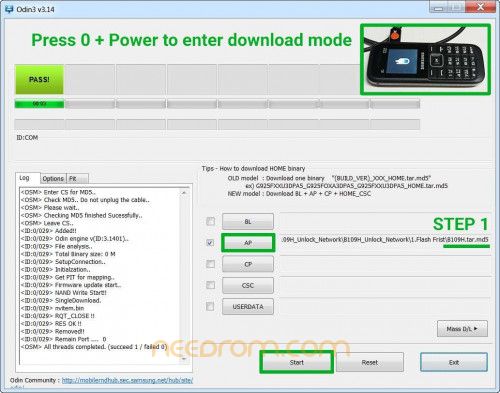
3. Press buttons 0 + Power until the download logo appear on screen.
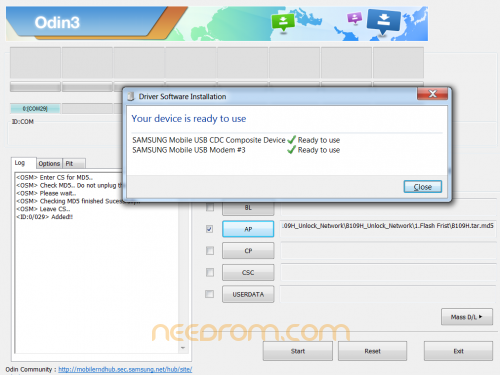
4. Release all buttons and let the Windows install two drivers from the Windows Update Server.
- SAMSUNG Mobile USB CDC Composite Device
- SAMSUNG Mobile USB Modem
5. Click AP button inn Odin3 and choose the first file : AP.01.B109H.tar.md5
and then click Start button wait until the green PASS! appear.
6. Remove battery and/or USB cable. Connect USB cable and battery again.
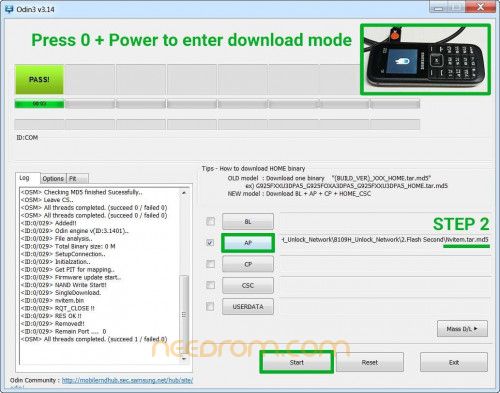
7. Press buttons 0 + Power until the download logo appear on screen.
Release all buttons.
8. Click AP button inn Odin3 and choose the second file : AP.02.Nvitem.tar.md5
and then click Start button wait until the green PASS! appear.
9. Now you are done! Reboot your phone SM-B109H and/or factory reset before use.
※Please make a backup of your device before installing or updating ROM