
- Title: SAMSUNG J200M + ROOT (DOWNGRADE TO UNLOCK WITH OCTOPUS)
- Listed: September, 2017
- Last modified: 09/06/2017 1:59 pm
- Version: 5.1.1 Movistar
You must be logged for ROM download.
14353 total views, 1 today
2 Total favorites
CUSTOM
 Member Info
DESCRIPTION
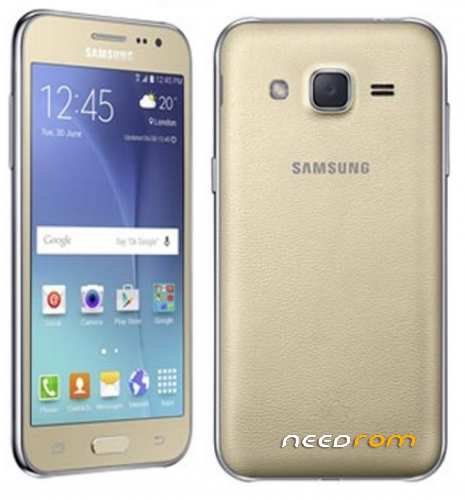
Esta ROM sirve para hacer downgrade a Samsung J200M para poder liberar con BOX Octopus,
despues de rootear solo tienen que dar en la opción de lectura de codigos Via ADB o Unlock Directo Via ADB
Les dejo el TWRP y el SUPER SU para poder rootear.
※Please make a backup of your device before installing or updating ROM
Excelente muchas gracias
NO ME FUNCIONO A MI
Gracias por el aporte pero tampoco me funciono aun me sigue marcando que debo hacer el downgrade del modem… ¿Alguna solución?
a mi me funciono
con la
version 31.5.1 de Z3X
rootear primero el movil
y despues (unlock new)
ahi les dejo
Waiting ADB device… OK
Reading phone info…
Model: SM-J200M
Android version: 5.1.1
PDA version: J200MUBU2AQA2
CSC version: J200MTFG2AQA2
Phone version: J200MUBU2AQA3
Product code: SM-J200MZKATPA
CSC country code: OPEN
CSC sales code: TFG
Phone SN: R28GA149ZZB
IMEI:
HW version: MP 0.200
RF cal date: 20151014
Chip name: EXYNOS3475
Modem board: SHANNON308
Security patch: 2017-01-01
Boot Warranty bit: 1
Checking Super user right… true
Reading NV data… OK
Checking NV data… OK
Reading data… OK
Detecting MODEM… OK
Reading MODEM… OK
Calculating… OK
Writing zTool… OK
Initialization zTool… OK
Running zTool, please wait…
Start… OK
Initialization… OK
Generate and check client proof… OK
Verify proof by client… OK
Reading data… OK
HWID: 13 DD 4F 57 42 DB 82 60 57 92 C3 C7 5E 82 FF D2
Calculating… OK
Unlocking… OK
Writing NV data… OK
Rebooting phone… OK
Unlock done
Done with Samsung Tool PRO v.31.5.1