
- Title: Samsung Touchwiz for P780
- Listed: September, 2013
- Last modified: 09/18/2013 1:46 am
- Version: ROM Android 4.2.2
You must be logged for ROM download.
37227 total views, 2 today
1 Total favorites
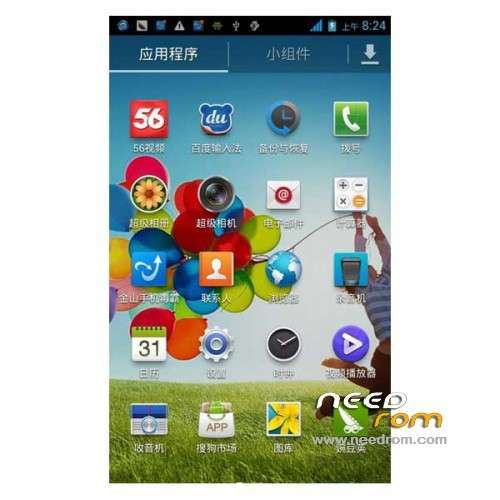
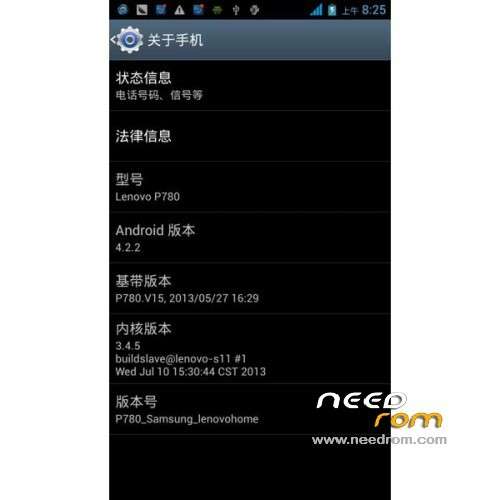

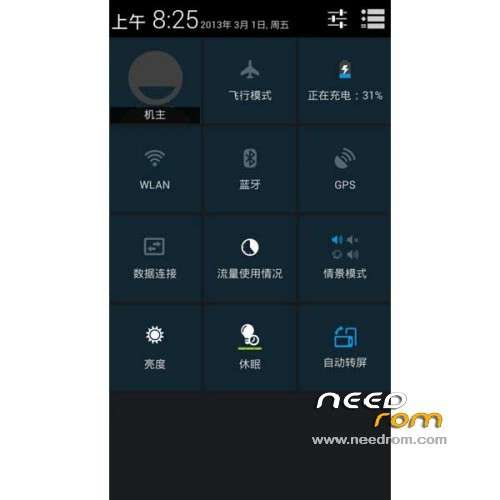
 Member Info
DESCRIPTION
(Use it with S125 base)
I got this rom (multilanguage) from lenovohome.net here and im sharing with you.
The CWM Recovery is mine.
If your original ROM is not 129 or 132 i recomend try replace the MT6589_Android_scatter_emmc.txt included in my Recovery_Lenovo_P780_CWM_v6.0.2.8_s125_or_s132.rar with the MT6589_Android_scatter_emmc.txt of your ROM version.
Steps.
1: Flash my Recovery with FlashTools (read how to here ).
2: Download the custom ROM copied to an external SD card directory
3: the shutdown state. While holding down:
– Power button + volume button up, to enter the recovery mode.
– Wipe Data / Factory Reset -> delete all user data
– Wipe Cache Partition -> Wipe cache
4: Return to recovery main interface Install zip from external sdcard -> choose zip from sdcard -> Select your ROM
5: Brush complete, restart the phone Patience required – first boot takes a while
Dont try this rom over s11x or s132, use s125.
※Please make a backup of your device before installing or updating ROM
i got it working, need to flash P780_S132_130822 first.
realy you god man
and this flash
http://pan.baidu.com/share/lin.....8;uk=2332160524
Notification Led?
Have been running this ROM for a week now & not a problem. It is very stable and i uninstall all Bloatwares that came with it.
The way to get it working is as followed,
1– flash P780 to stock(factory) ROM (P780_S125_130529)
2– Root P780 with Motochopper_Auto_Root
3– Use MobileUncle MTK Tool to run CWM Recovery
Below is the steps i followed,
Flash with Official ROM (P780_S125_130529) before any Custom ROM
- Download the rom and package utility (link at bottom):
- Carry out the root with Motochopper by connecting the device to the pc with usb debugging enabled (installed drivers mtk6589 if you have not already) click on run.bat and following the instructions on the PC. At the end of the phone will restart.
- Copy the file @ P780k – cwm recovery.img and the zip package of the rom sd in the phone.
- Copy the ' apk mobile tools uncle on the phone and install it. After starting give it root permissions, go to " Recovery Update "at the top and you should see the file. img that we have copied in the previous step. Capped and installed the recovery cwm , when asked if you want to reboot into recovery you say it. The phone will reboot into recovery entering.
- Do not be afraid if you are surrounded by written Chinese, Go in line 4, and then in 2 and do ok (with the power button), you have just made ??the wipe date.
- Then go on line 5, then row 2, you have just made ??a wipe cache.
- Then line 2, line 1 (or line 5 if you have copied the files to the internal memory), install the zip file of the rom, wait a few minutes and restart going to last line, then again in row 1 and row 1.
- The first boot takes some time so do not worry.
thank you for greeat job
I want rom 115 for P780!who are help me?
Hi,
I'm dying to try your ROM but I can't find the S125 base FW anywhere.. can you post me a link please?
Great work!!!
Thanks!
Base s125 in link:
https://www.needrom.com/mobile...../lenovo-p780-4/
do you managed to install this ROM? (samsung touchwiz)
I ask if in this rom can I change 3g to SIM 2.
Thx
Some screenshots in English please… I am fan of of touchwiz Samsung…
Does it work on 8GB version also??
There aren't new update???