
- Title: Color OS Custom Rom For Symphony Xplorer V28
- Listed: March, 2017
- Last modified: 03/14/2017 1:45 pm
- Version: 5.1.1
You must be logged for ROM download.
11995 total views, 1 today
1 Total favorites
 Member Info
DESCRIPTION
Symphony V28 Lollipop Custom ROM – Color OS
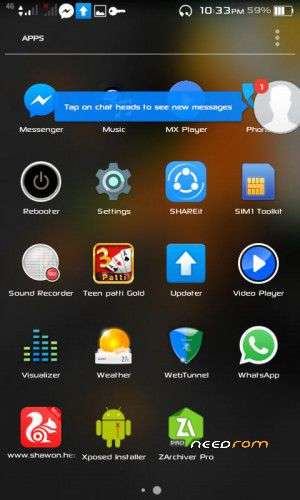
Grab the OPPO Color-OS based on android lollipop 5.1 Custom ROM for your Symphony Xplorer v28 and all other Spreadtrum SC7731 based android devices. Colour OS is combining speed, efficiency, and stability to bring pixels to life.
Symphony V28 Lollipop Custom ROM – Color OS
ROM Name: Color OS Symphony V28
ROM Version: First Beta release.
ROM OS: Lollipop
OS Version: 5.1
ROM kernel: 3.4
ROM Status: Stable
ROM Base: Color OS
ROM Supported: Symphony Xplorer V28 (Kitkat base) and all other Spreadtrum SC7731 base device.
ROM Size: 255.2MB
ROM Language: English
100% Pure Lollipop Experience
Pre – Installed ROM
Color-OS System UI
New Color OS theme
Material Dark and Light Theme
Color OS Status Bar
Transparent Statusbar
Setup Wizard App
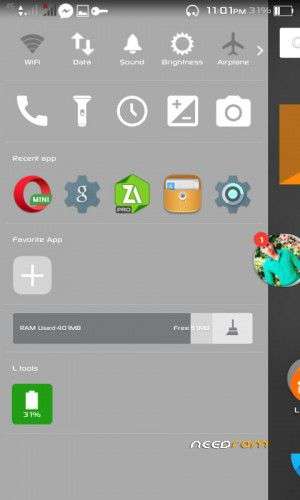
New Expandable Volume Panel
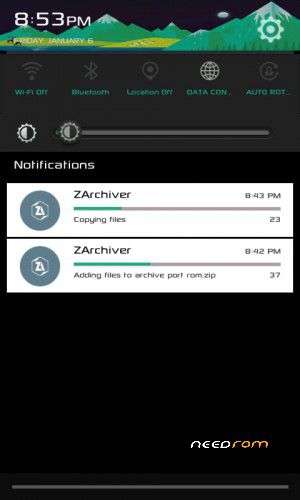
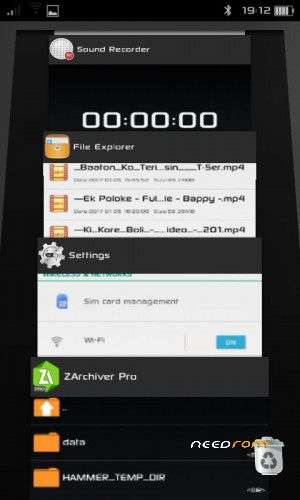
Parallax Notification panel
Parallax Recent Apps
Carrier Label in Statusbar (Color OS Style)
‘Xposed Fully Supported
Gravity box Customization Ability
Ad Blocker – Pre Installed
Dolby Atmos – Pre Installed
Swipe Panel
Gesture Anywhere
Carrier Label in Statusbar
Revert back some built-in Features
Screen Tuner
Overlapping Notification
Debloat Rom for Better Performance
CPU Tweaked
CPU time in State Settings
RAM Disk Improvement
Better Gaming performance
Better Battery Backup
and more…
If You found one, Let us know in a comment.
Rom Download
Click Here To Download the ROM
Symphony V28 Lollipop Custom ROM – Color OS
Go to Open GAAP, Choose ARM ⇒ 5.1 ⇒Stock to nano depending on which you want to use.
Rooting or flashing custom ROM’s results in the void of the warranty of the device. ( We) MTK Rom Development and its authors will not responsible for bricked devices or any damage which is incurred in the process of flashing custom ROMs or rooting the device. We highly advise taking a backup of your device prior to performing the process. , dead SD cards.
Please do some research if you have any concerns about features included in this ROM, before flashing it! You are choosing to make these modifications. Nevertheless, if you need any help, just comments already. We will always pleased to help you.
It’s wise to backup your custom ROM, no matter how confident or experienced you are. So anything happens unpleasantly you can retrieve back your old ROM
If you don’t know how to backup ROM Click Here
Then Go to the phone’s custom recovery mode. Almost Every phone by pressing the power button + Volume up/down button + home button all together you can access your phone recovery options. If you don’t know how to go your specific device’s recovery option, just search on google. Here an example: “recovery mode SM-G7102”
After successfully entering the Custom Recovery Option (CWM/TWRP) first & foremost take a backup up of your current ROM. Select “Backup” 》Select storage 》 backup process may take 5/7 minutes.
Then Wipe Data》Wipe Cache Partition, Wipe Dalvik cache (You shall find it in Advanced option).
After formatting Cache goes to Mount and Storage》Format Data, Format System.
Then come back to the main menu of CWM/TWRP whichever Custom recovery you’re using.
If you are using Phillips Touch 》 just Go to Wipe Data & select install new custom ROM.
After removing the old ROM, the rest of the works are just pieces of cake. Just install the Symphony V28 Lollipop Custom ROM – Color OS.zip from SDCARD.
Install GAAP. Then Reboot. The first boot may take up to 5-10 min.
Voila and enjoy the test of Symphony V28 Lollipop Custom ROM – Color OS.
※Please make a backup of your device before installing or updating ROM
Sir can i port it on sc7731 lollipop based devices
Nope