
- Title: Security Patch – Update
- Listed: December, 2016
- Last modified: 12/31/2016 2:13 pm
- Version: 07.18+
You must be logged for ROM download.
12738 total views, 1 today
2 Total favorites
OFFICIAL
 Member Info
DESCRIPTION
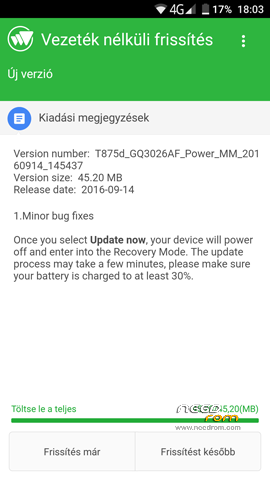
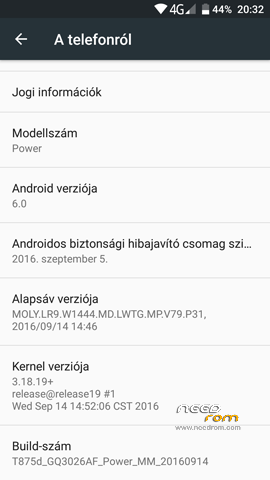
Security patch and minor bug fixes. When not working Ota / Fota update, then you can install manually.
Install:
1: Required: unmodified firmware with – 07.18.+
2: Paste both files your phone internal or external sd
3: Enter your original recovery. Phone power off, then volume up + power button, and select recovery. (then volume + = step, volume – = ok button)
4: Find it your update.zip file, and flash.
5: Wipe cache and dalvik cache, and restart your phone.
※Please make a backup of your device before installing or updating ROM
updater process ended with ERROR: 7. Verifying current system… Package expects buid fingerprint of ulefone/full_hct6753, this device has guanqun/ful_hct6753… I tried via TWRP. There is not "unmodified" system. 7.18brt comes with Xposed preinstalled. The other versions are older.
Hi. Maybe bad the twrp version. Try this: https://www.needrom.com/downlo.....-twrp-recovery/
Didn't work. I flashed the new recovery with the skin. Recovery installation was successfull. The update.zip was not. Where can i find an unmodified android 6.0? When you say unmodified you mean without xposed? I can't find it anywhere.
Here is the original firmware: https://drive.google.com/drive.....ckxqeERaY3dPSFE . It is clean. And yes, without xposed / root /etc. Installing the firmware 6.0, go after the security patch, and after can go: root / skin twrp / xposed / etc. Enjoy…
I downloaded & flashed the version 2 from the link you provided. Still didn't work.
Then flash this rom first: https://www.needrom.com/downlo.....icial-firmware/