
- Title: SESONN N9000+
- Listed: May, 2014
- Last modified: 08/23/2014 3:17 am
- Version: ROM Android 4.4.2
You must be logged for ROM download.
22036 total views, 2 today
 Member Info
DESCRIPTION
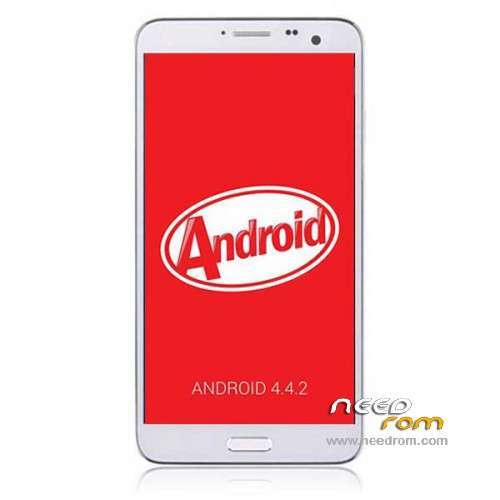
ROM Mobile Sesonn N9000+ – ROM Android 4.4.2
ONLY MT6592
Update Official ROM N9000+ Sesonn version: 709v92_jbaol1_20140609 – KOT49H
——————————————————————————————————————————-
Official ROM N9000+ Sesonn version: 709v92_jbaol1_20140428 – KOT49H
ATTENTION This ROM is given for SESONN N9000+ but normally works with " Star N9000+ "
I say Normally, i don't guarantee
Gapps include - No Rooted
Language support: Multilang
Install ROM :
- Unpack FlashTools, and Click on Flash_tool.exe
- Select a the MT6592_Android_scatter_emmc.txt in ROM
- Wait file to be added into Flash Tool
- choose Option->USB Model,click USB Model
–> Choose Option->DA DownLoad All->Speed->High Speed, click High Speed
- Turn off your phone, remove the battery.
- "Press F9 (hit Download button)" OR " if upgrade ROM Firmware->Upgrade "
- and connect your phone into the computer via USB data cable.
- The process will start and a red progress bar will appear after color purple, yellow.
- And green circles display
- Finish !
- You can now safely disconnect your phone and turn it on.
※Please make a backup of your device before installing or updating ROM
Hi, is it Real kitkat rom?
This is real 4.4.2 – but with bug in lockscreen (no way to change wallpaper –> force close) and in NFC.
Hi, i solved the Lockscreen issue
https://www.needrom.com/mobile.....4-2-kitkat-rom/
You can apply the patch only to solve it, no need to flash again the firmware
Tried on my Star N9000+ but doesn't work
Sorry but my n9000+ was a N3+ with fake label…-_-
Testing now on n9000+
Runs on Elephone P8 and on Sesonn N9000+.
But NFC is disabled.
in n9000+ nfc is out!
Hi Socrate.. tried this on my Star N9000+ /this time real one) but got bootloop
Any suggestion? Thanks!
Ok fixed it, i had to make a Wipe cache, factory reset and dalvik.
Only the Wallpaper bug still there unfortunately
my phone is automatically disconnected, after connect via usb-cable without battery.
anybody help?
I know you asked this long time ago… but in case you haven't been able to do it.. .You need to install the drivers for the phone… and if you haven't do this before.. you will need to allow the installation of unsigned drivers.. and the you'll be able to install the driver. You should check the device in the Device Manager find it… left click.. Update software driver.. and then install it
pd: you can find the driver online like this "MT65xx Android Phone Driver".
I solved the problem with wallpaper on my P8. Roted the phone, I installed another launcher (Google Now Launcher) and deleted the original Launcher and then the agoldwallpaper application. Now whenever I change my wallpaper lockscreen wallpaper also changes.
better to use my patch, you can still use default launcher and modify both indipendently
I have other problem-the 4.4.2 is good but the wifi is not in ortnung he always goes on and off on and off
Wars, no connection.
I just used the Update 06/09/2014 but it is asking for a pin.. a password when i try to unblock it.. I've tried 1234, 0000, and other several combinations but nothing works.. what is the pin??? or what can I do ??