
- Title: SETUP TWRP AND ROOT ULEFONE POWER5
- Listed: July, 2018
- Last modified: 07/27/2018 4:09 pm
- Version: 8.1.0
You must be logged for ROM download.
10481 total views, 1 today
CUSTOM
 Member Info
DESCRIPTION
This is a ported TWRP. I have only used it so far to root my device.
1) Backup your phone.
2) Unlock Bootloader (!! YOU ARE WIPING EVERYTHING ON YOUR PHONE !!)
3) fastboot boot recovery.img (Ported TWRP attachment)
4) Swipe modify system partition
5) Install desired root method
6) You phone will be back to factory, with root installed.
Enjoy!
※Please make a backup of your device before installing or updating ROM
On the phone, turn on the Developer Menu
In the developer menu, enable Unlocking OEM and Debugging by USB
We connect the phone to the computer and in the pop-up window put the checkbox Always allow from this computer and OK
Download ADB + FastBoot
Unpack the downloaded archive into the D: \ UFP5 \
Download Magisk and save it to the D: \ UFP5 \
Run the command line ( Win + R key combination , enter cmd and OK button )
We enter all commands in the command window, unless otherwise specified
For readability, all commands will be highlighted in bold and dark blue
the result of the output of commands, where it matters, in an oblique font of purple
In the window that opens, go to the directory D: \ UFP5 \ ( cd / d D: \ UFP5 \ )
Check the connection with the phone (the device list should not be empty if it does not check the driver): adb devices
List of devices attached
30xxxxxxxxxxxx94 device
Then we reboot into fastboot mode . There are two ways:
As in the instructions of Option 1. MTK SP Multi Port Download Tool items And now the most interesting and the next begins , just choose FastBoot Mode
Or, it's a little easier if you are in Factory mode , perform the previous point of checking the connection with the phone, and then adb reboot bootloader
On the phone, after the vibra, at the bottom of the screen there should be a tiny inscription => FASTBOOT mode …
Check the connection with the phone mode FastBoot (the device list should not be empty if it does not check the driver): fastboot devices
30xxxxxxxxxxxx94 fastboot
We remove the bootloader lock, or we will not do anything: fastboot oem unlock
On the screen of the phone there will be a disclaimer that the end of the world is near and we will all die (on the very speech there is a guarantee, data reset and so on), to start the process, press Vol +
Sews TWRP : fastboot flash recovery TWRP-3.2.1_POWER-5_by_nemo-nemo_.img
target reported max download size of 134217728 bytes
sending 'recovery' (15574 KB) …
OKAY [0.766s]
writing 'recovery' …
OKAY [ Finished
. total time: 0.974s
We reboot into TWRP : fastboot reboot and then again two ways:
As in the instructions of Option 1. MTK SP Multi Port Download Tool points And now the most interesting and following follows begins
Or it's a little easier if you are in Factory mode , check the connection with the phone ( adb devices in the list should be our device), and then adb reboot recovery
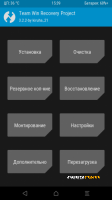
After that, TWRP will be loaded (from the offer to mount the System partition in read-only mode – we need to refuse), if the text version of the recovery was loaded Figure 2 , then you missed the moment and the system restored the stock – reboot into the fastboot mode do everything for a new skipping point Remove blocking the bootloader and following it.
Checking, the missing file /system/recovery-from-boot.p for this
Mount the System and Vendor partitions
In the Advanced section, launch the File Explorer
In the / system directory, we check for the recovery-from-boot.p file , if it is present, we delete it.
Installing the magisk