
- Title: Sony Xperia ion LT28H
- Listed: November, 2014
- Last modified: 11/22/2014 3:27 pm
- Version: Cyanogenmod 11 (Kitkat 4.4.2)
You must be logged for ROM download.
17433 total views, N/A today
1 Total favorites
 Member Info
DESCRIPTION
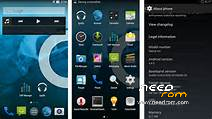
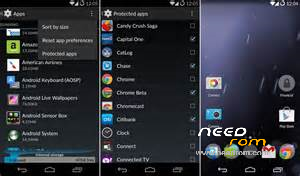
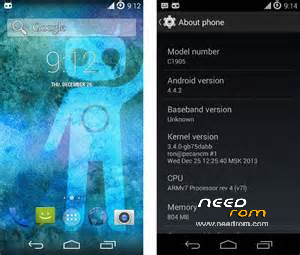
Cyanogenmod 11 (Android Kitkat 4.4.2) final version released for LT-28H
This is a discontinued rom version . I myself upgrade from CM09 to CM11 , tested and work fine,smooth and fast including camera ,otg supported as well .
Note : If you are using CM09 Version , Pls change your recovery to TWRP 2.6.3 provided above . Otherwise cannot flash this rom (using CWH does not work,personnally tested).
For cm9 user - First download the cm-11-custom-UNOFFICIAL-aoba zip file , Gapps4.4.2zip file and boot.img file and move to the root directory of your sdcard . The boot. img file is the TWRP2.6.3 version supported for LT28H extracted from cm11 zip . Then from Google Play Store , install Rashr recovery tool . The apps is very useful to flash recovery image by phone itself instead of using PC . Go to Rashr ->select flash recovery-> select boot.img to flash . When boot into TWRP , backup your existing rom (select data ,system and boot). After that go to main menu , do factory reset , wipe cache and dalvik cahce( in Advanced wipe), go to "install", select cm11 zip from sdcard to flash . The first reboot takes few minutes until you see Cyanogenmod logo appear mean rom successfully installed .
For non-cm09 user – flash you recovery using Rashr tool , select boot.img to flash . Backup your existing rom using TWRP, then do factory reset , wipe cache and dalvik cahce( in Advanced wipe), go to "install", select cm11 zip from sdcard to flash . The first reboot takes few minutes until you see Cyanogenmod logo appear mean rom successfully installed .
The Gapps is optional but if you want to install then go to recovery mode again and select 4.4.2 zip to flash .
Rashr recovery detail pls refer to this link : http://forum.xda-developers.com/showthread.php?t=2334554
All credits go to +++++++++++++Cyanogenmod Team
※Please make a backup of your device before installing or updating ROM
Do I have to unlock bootloader?I have LT28AT version