
- Title: Sony Xperia Z1 C6903
- Listed: January, 2015
- Last modified: 01/10/2015 2:21 pm
- Version: crDroid Kitkat 4.4.4
You must be logged for ROM download.
17361 total views, 1 today
3 Total favorites
 Member Info
DESCRIPTION
[ROM] [honami] [4.4.4] [nov7] [CM11-based] **crDroid** for Sony Xperia Z1 C6903
crDroid Custom Rom based on Cyanogenmod with extra cool and useful features :
Dynamic System Bars;
Heads up (SlimKat version);
Heads up option to open in floating window;
Heads up notification time out;
Heads up show pending background notifications;
Heads up at the bottom or top;
Heads up snoozer time;
Heads up disable on lock screen;
Heads up dismiss from left remove from all (status bar and notification drawer) and from right dismiss only from heads up;
PA's Halo;
PA's Hover;
PA's Peek;
Halo policy;
Halo size;
Halo hide after activity;
Halo notification count;
Halo enable message pop up;
Halo pause active app;
Halo ping on unlock;
Hover exclude low priority notifications;
Hover exclude non-clearable notifications;
Hover require full screen mode;
Hover notification time;
Hover exclude topmost app;
Hover exclude from insecure lockscreen;
Hover touch to hide;
Hover dismiss from left remove from all (status bar and notification drawer) and from right dismiss only from heads up;
Peek beautify bridging layers code
Peek configurable pickup timeout;
Peek configurable wake timeout;
Peek Blacklist;
Screenshot quick trash;
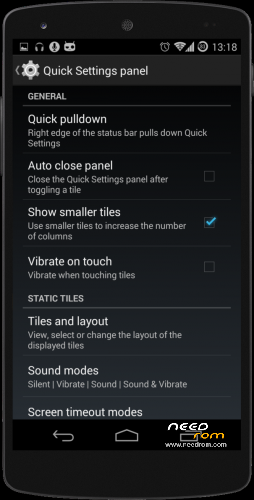
Power menu QS tile (simple press to go into power dialog or long press to go into reboot dialog);
Power menu added in navring targets;
Last app added in navring targets;
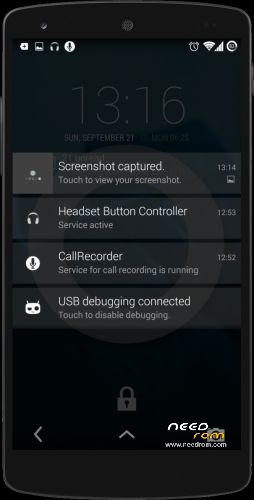
Incoming call in background with heads-up option;
Navigation bar dimensions;
Enable or disable navigation bar;
Custom navbar recent long press (none, last app, screenshot, kill app, notifications panel, QS panel, power menu);
Low battery warning options;
Lockscreen PIN keypad shuffler;
Lock before unlock (Show sliders before secure unlock);
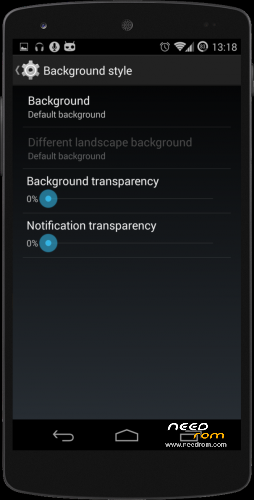
Notification drawer custom background and transparency;
Notifications row transparency;
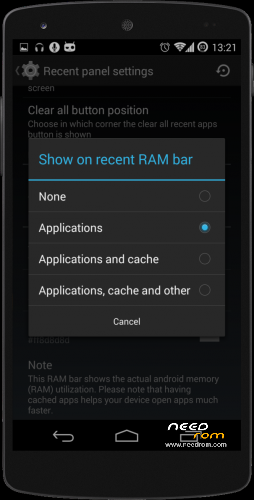
Custom clear all recent button (place it in any corner of the screen);
RAM bar;
Option to hide app's status bar notification icons;
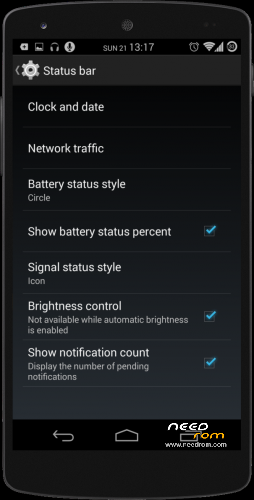
Status bar clock and date customization;
Open source Google dialer;
Volume panel configurable timeout;
Screen recorder;
Wakelock blocker;
Media Scanner behavior on boot;
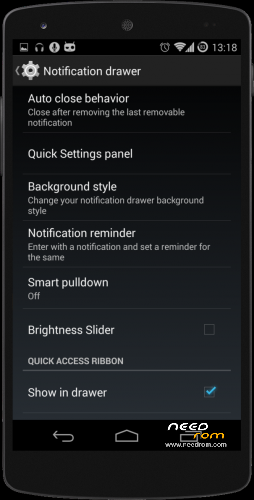
Notification reminder;
Notification reminder flip interval;
Smart Pull down;
Ability to switch between recent panel styles (Stock or SlimKat);
SlimKat recent panel;
SlimKat recent panel/card/text custom background;
SlimKat recent with option to show in left side and switch sizes (100, 85 and 70%);
SlimKat recent add favorite mode (click on app icon in recent panel to choose as favorite);
SlimKat recent developer shortcuts;
SlimKat recent floating mode;
SlimKat recent add blacklist interface;
SlimKat recent panel custom colors (panel/card/text);
Improved scrolling cache;
Ability to disable hardware keys via nav bar settings (Only visible in devices with hardware keys and enable through overlay);
Keyboard: toggle to enable/disable full screen on landscape;
Keyboard: force auto rotation on IME;
Keyboard: force to show always enter key;
Live volume steps;
Long press back to kill configurable timeout;
People lookup settings;
Option to enable notifications lights with screen on;
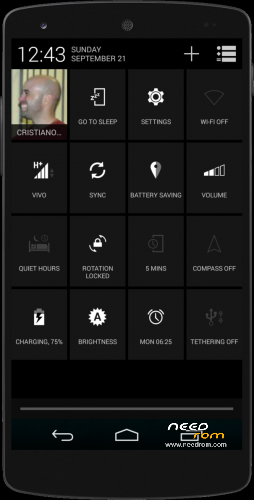
Brightness slider in expanded notifications panel;
Option to disable widgets frames on lockscreen;
Lockscreen notifications;
Telo Radio (Connection manager);
Smart call;
Gesture lockscreen;
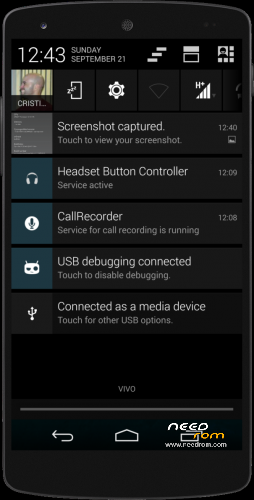
Pause, resume or stop downloads from notification area;
DSP Manager: Center frequency param to bassboost;
DSP Manager: Stereo widener effect;
DSP Manager: Add loudness enhancer;
Appbar by ChameleonOS;
Launch floating window from notification (long click);
Launch floating window from recents panel (long click);
Blacklist from floating mode
Option to enable/disable hepatic feedback on tiles pressing;
Flip to Mute/Reject Call;
Call recording (blocked in some countries);
Gestures anywhere;
Lockscreen rotation option.
How to install instruction :
1-> Download rom.zip and gapps ,move to sdcard .
2-> Open recovery ,do factory reset , wipe cache and dalvik cache ,format data .
3-> Select zip file to flash .
Optional – flash gapps
4-> wipe data/factory reset
5-> Reboot
6-> Done .
All credits go to ********************* http://crdroid.org/
※Please make a backup of your device before installing or updating ROM
Had problems with the listes gapps. No connection to google. After installing original CMW gapps anything works fine As far as Icould test it, no problems wit C6903