
- Title: SPICE S4 ROM for Spice Mi-535 and HIKE 818
- Listed: November, 2013
- Last modified: 11/30/2013 5:35 pm
- Version: V 1
You must be logged for ROM download.
16231 total views, 1 today
 Member Info
DESCRIPTION
Features:
• Aroma installer
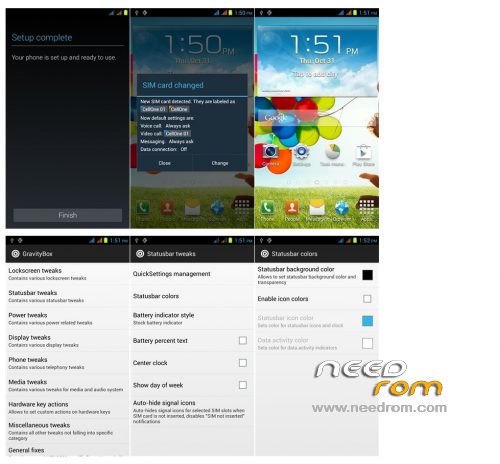
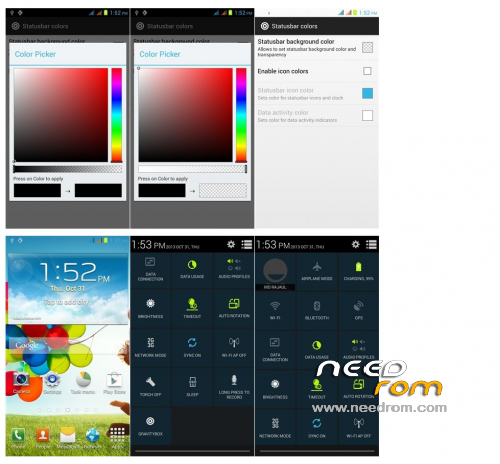
• Touchwiz Launcher
• S4 Touchwiz Theme
• S4 Weather Widget
• Samsung Boot animation
• Deodexed and zipaligned
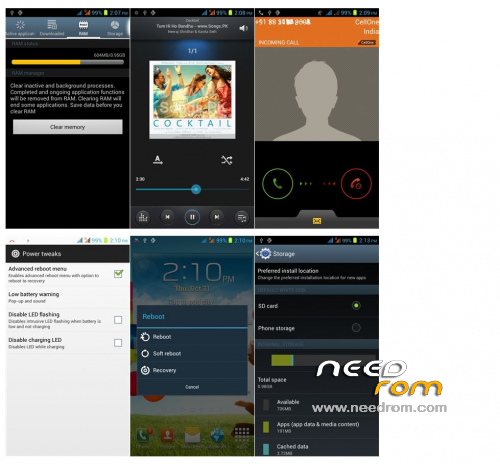
• S4 Styled Settings.apk
• S4 Dialer
• 12 mp Camera
• Pre-Rooted
• S4 Themed SystemUI
• Multilingual
• Init.d Added
• ViPER4Android FX
• FM working
• Touchwiz Clock.apk
• SMemo
• S4 Icons
How to install:
1) Download SPICE_S4.zip
2) Put into External SD Card
3) Go To CMW Recovery
For COT-Recovery users(http://forum.xda-developers.com/show….php?t=2494098)
4) Factory Reset
5) Pre-flash Wipe
6) Storage Management->Erase dalvik-cache
7) Zip Flashing -> Choose ZIP from SD Card->SPICE_S4.zip->No-Install without backup->Select theme
->Next->Next->Agree terms & conditions->Next->Next->Select default or custom installation
8 For custom->Select NVRAM and IMEI backup if you wish->Next->Next->Select desired applications to install->Next->Next->Next->Finish
9) Reboot Your System
10)After doing all settings again reboot into recovery and flash this update package
http://d-h.st/lww
11) Done
CREDITS:-
@Dj_Ignatius
@viper520 (for viper4android)
@zhuhang (for viper4android)
@amarullz (For aroma installer)
※Please make a backup of your device before installing or updating ROM
Nice work…
it stuck upon logo
No such bootloop problem, many have installed this ROM successfully. Ensure that you followed the steps carefully during installation.
Nor working in my gt i9500 mtk 6589…
See the title, It is for Spice Mi-535,not for gt i9500 mtk 6589
Nice Working
update package link not working
update package link not working…. Please do something my data connectin is not working..