
- Title: STAR N9599T MT6582
- Listed: March, 2014
- Last modified: 03/08/2014 1:55 am
- Version: ROM Android 4.2.2
You must be logged for ROM download.
20057 total views, 1 today
3 Total favorites
 Member Info
DESCRIPTION
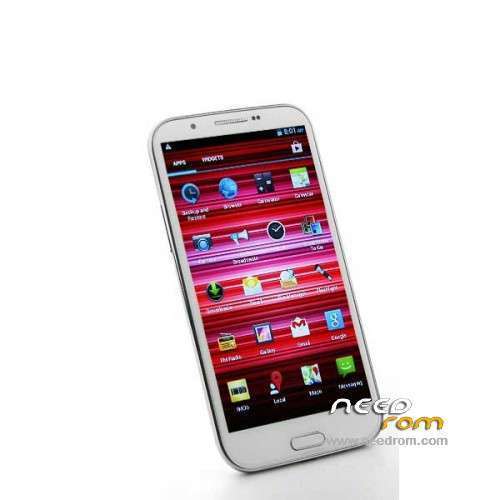
ROM Mobile N9599T MT6582 – ROM Android 4.2.2
ONLY MT6582
Official N9599T MT6582 Version: 101_v89_gq3008s_20140103
This rom is for those who bought the fake MT6589T. exemple: amazon or others, who begin in the sale of chinese mobiles.
Gapps include – No Rooted
Language support: Multilang
Install ROM :
- Unpack FlashTools, and Click on Flash_tool.exe
- Select a the MT6582_Android_scatter_emmc.txt in ROM
- Wait file to be added into Flash Tool
- choose Option->USB Model,click USB Model
–> Choose Option->DA DownLoad All->Speed->High Speed, click High Speed
- Turn off your phone, remove the battery.
- "Press F9 (hit Download button)" OR " if upgrade ROM Firmware->Upgrade "
- and connect your phone into the computer via USB data cable.
- The process will start and a red progress bar will appear after color purple, yellow.
- And green circles display
- Finish !
- You can now safely disconnect your phone and turn it on.
※Please make a backup of your device before installing or updating ROM
firmware established
stripes on the screen
my display driver – LP057APKP029A or RX_572OTM_813A
but in this firmware version display driver – LM057APKP02A
Please look more
Hi I flashed my star n9599t mt6582 with this rom, now my phone screen it is a colors lines it is wrong, sound it is ok, please a I need the stock version rom 101_v89_gq3008s_20131128
Thanks
give me your meil i help you but camera and front camera and acseleromelr and volume keys not work
Ok I send you a PM with my email, thanks
Solution for lcd drivers problem in http://blog.cellphonemic.com/
Here ROM STOCK
after flash on n9599T mtk6599t 1gb ram .. Smartphone R.I.P you can see on display only a rainbow
I found a solution for the display driver for n9599t mt6582 with official rom
Here is the link
https://drive.google.com/file/.....dit?usp=sharing
inside the folder you have the sp tool program, open it then select the scatter file in the folder, select the RX_5720TM_501F lcd driver, remove phone battery click start all, insert the battery, after that it should start flashing automatically.
Thanks. Your post and xanpepe's saved my phone I had tried to flash the xperia rom and it didn't work. I ended up making things even worse trying other roms and cwm but with the help of your posts and some googling It's up and running again. Big thanks guys
Hey man! i need help! can you give me some contacts please? you neeeed me