
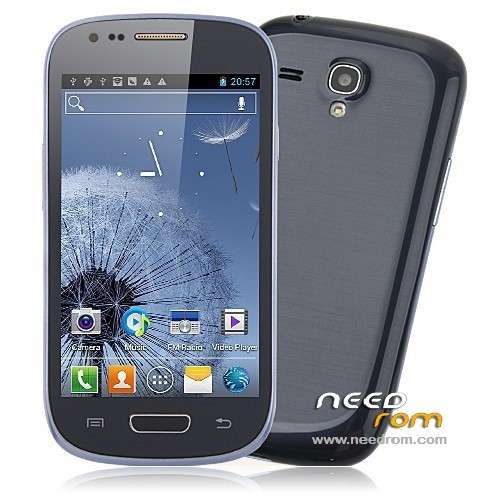
- Title: Star S9920 – official rom
- Listed: August, 2013
- Last modified: 08/12/2013 10:21 pm
- Version: S9920-2013-7-2
You must be logged for ROM download.
33618 total views, 1 today
4 Total favorites
OFFICIAL
 Member Info
DESCRIPTION
Official Star S9920 rom flashing by SP Flash Tool.
※Please make a backup of your device before installing or updating ROM
I have two of these phones, each of them from completely different source. Each of them has a 06.04 rom. I have experienced some major problems with both of them. Mainly both sometimes go crazy-touch screen becomes unresponsive, apps open themselves, apps close. Does anyone else experience something similar? Does this rom help by any chance?
Hi
I had the same issue i tried several rom updates didn;t help but i got solution for mine maybe it will work for you also.open up the phone by removing the screws the back frame still being held by clips carrefuly with a flat tool pry it open you will see two connectors one on the left and one at the speaker disconnect both but be carrefull the volum and the power button glued wih a sticky tape to the frame in the slut try to lift the whole pannel out then you will see at the top connections the soldering coverd with tape remove the tape and with a fine point soldering iron resolder those connections before complettly reassamble the phone put tape back on the soldering points and under the speaker where originally was only a little pad reassemble the phone and hope for the best that this was your problem !I think those sodering points are to weak from factory which are for either the digitizer or the touch i don't know i didnt take it further apart!
Good luck
i can solve the same problem!
You must only dissambly the pone, and secure the flex for the touch screen. It is up side, near at earphones conector.
I only put up of it, a bit of plastic thin adhesive tape.
Problem solved.
Yes, I have same problem, I think there is hadrware problem with home button, I think it press automaticly sometimes, but I opened the phone and tried search what is wrong here, but don't see what can change here to fix it.
@Paajii on which rom are you?
Did you try this rom? Is everithing ok?
OK, I took the risk, and installed this new ROM. Everything went buttery smooth. Phone works, but I'm not completely sure what actually changed.
The problem with the touch screen persists in this ROM!
what is the easiest way to install this rom?
Thanks. My phone haven't any problem with home button or touch screen. Is there in the menu proximity sensor calibration? In my rom there isn't and I have some problems with it. How does gps work? Is it a real 4.1 android or 4.0? Chinese App?
I'm having the same problem with touch. And I don't know what to do. I can send it back to China, but you know, that means to take a risk and pay for it…
this ROM work fine. No chinese App.
is android ICS 4.0.3; (the info indicate 4.1.1 but is a fake info).
n.b. : save you IMEI info after flash!
What's the safest way to replace the ROM?
search "SP_Flash_Tool_v3.1320.0.174"
after flash, backup the file /data/nvram/md/NVRAM/NVD_IMEI/MP0B_001