
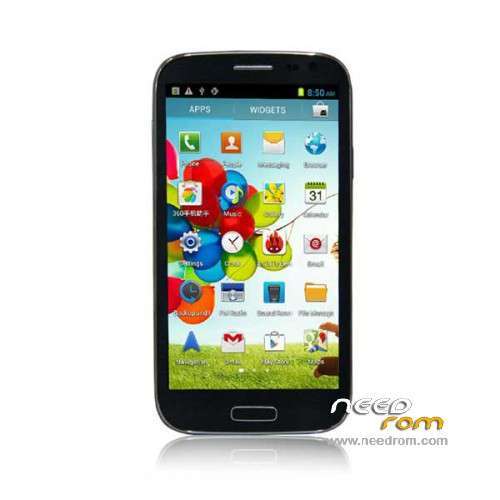
- Title: STAR U9500 FWVGA
- Listed: February, 2014
- Last modified: 02/12/2014 7:17 pm
- Version: ROM Android 4.2.2
You must be logged for ROM download.
19199 total views, 1 today
 Member Info
DESCRIPTION
ROM Mobile STAR U9500 FWVGA – ROM Android 4.2.2 (4.2.1)
ONLY MT6589
Rom Official U9500 FWVGA MT6589 version :
20130908_e2006v20_v89_gq3009fwvga_2g
OR
20130731_e2006_v89_gq3009fwvga_2g
Look your " Build number " v20 or not
Gapps include – No Rooted
Language support : Multilang
Install ROM :
- Unpack FlashTools, and Click on Flash_tool.exe
- Select a the MT6589_Android_scatter_emmc.txt in ROM
- Wait file to be added into Flash Tool
- choose Option->USB Model,click USB Model
–> Choose Option->DA DownLoad All->Speed->High Speed, click High Speed
- Turn off your phone, remove the battery.
- "Press F9 (hit Download button)" OR " if upgrade ROM Firmware->Upgrade "
- and connect your phone into the computer via USB data cable.
- The process will start and a red progress bar will appear after color purple, yellow.
- And green circles display
- Finish !
- You can now safely disconnect your phone and turn it on.
※Please make a backup of your device before installing or updating ROM
not working!!!
Hi Folx,
sorry for that little story, but I think it's relevant :
I seached a ROM for a STAR S9500 and tried and tried most of them here from NeedROM. None worked properly. Only one booted but no cam and the "back" button was a second "home" button. I wonderd that no ROM was for a build like "06v20_v89_gq3009fwvga_2g_20130904", the origin build number of the phone I turned into a bot loop (lockscreen -> bootanimation -> lockscreen and so on). So I asked aunt google to find any similar and gave me needROM links to Star N9500 and U9500 (and many other). I decided to try the U9500 ROM first, because I know that the N9500 have a HD720p display and the S9500 a qHD.
Long story short: this ROM works fine with the STAR S9500 (build 06v20_v89_gq3009fwvga_2g)
Please move/copy this ROM to the S9500 section and please add following steps to your notes:
- backup your IMEI numbers with MTK Droid Tool for eventually restoring after flashing the ROM
Thank you very much, SoCr@Te, you helped me out twice! <3
<3