
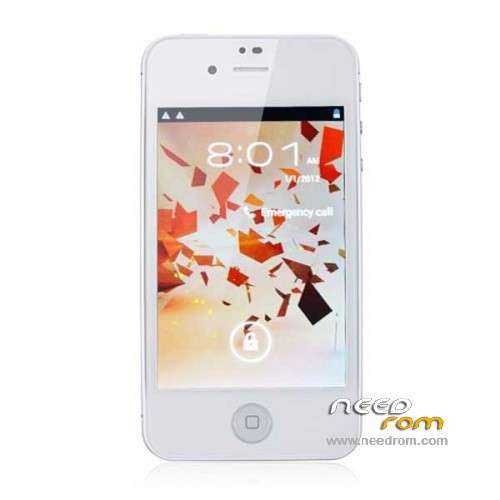
- Title: STAR W007
- Listed: February, 2014
- Last modified: 02/13/2014 10:05 am
- Version: ROM Android 4.0.4
You must be logged for ROM download.
13814 total views, 1 today
1 Total favorites
 Member Info
DESCRIPTION
ROM Mobile STAR W007 – ROM Android 4.0.4
Official STAR W007 version: ALPS.ICS2.MP.V1.5_e1809c_v75_jbl_253_6628_20121128
Gapps include - No Rooted
Language support : Multilang
Install ROM :
Unpack the archive ******.zip and archive with the ROM
1). Turn off the smartphone. Cable is not connected to the computer.
2). Remove the battery and insert it again
3). Connect your phone to a computer cable. The operating system detects a new device
4). Disconnect the cable from the computer.
5). Run SPMultiPortFlashDownloadProject.exe
6). Choose Database Factory menu> Configuration File data source and specify the file MTK_DATABASE.mdb (it is in the folder SP_MDT).
7). Choose File> Open File Agent download and specify the file MTK_AllInOneDA.bin (it is in the folder SP_MDT).
8). Click File and select the MT6575_Android_scatter_emmc.txt file (it's in the folder with the rom).
9). Click "Start all".
10). Connect your phone to a computer cable. The program should see and blink. If the phone is not detected, then unplug it from the computer, remove and insert the battery and reconnect it to the computer.
11). After (OK) click Stop and disable any phone.
12). Completed.
※Please make a backup of your device before installing or updating ROM
I have a problem when choosing scatter so that the inscription: incorrect scatter file.
What do I do?
I have a problem when choosing scatter so that the inscription: incorrect scatter file.
What do I do?
same problem but like know 1 cares to answer
Hi,
I changed this and it works:
__NODL_FAT 0x626e4000
{
}
Regards
preloader ask perfectly. Dead phone came to life.It began to define. used sp_flash_tool_v3.1216
it works? but the wifi don’t connect…