
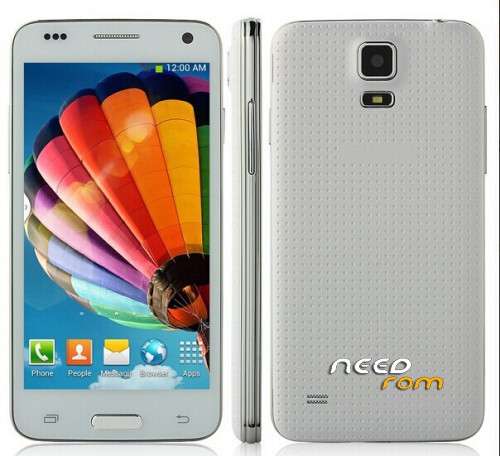
- Title: Star/Alps/XK W800 mini S5
- Listed: July, 2014
- Last modified: 07/09/2014 12:27 am
- Version: 4.4 but please make full backup, at your own risk
You must be logged for ROM download.
31620 total views, 2 today
2 Total favorites
OFFICIAL

 Member Info
DESCRIPTION
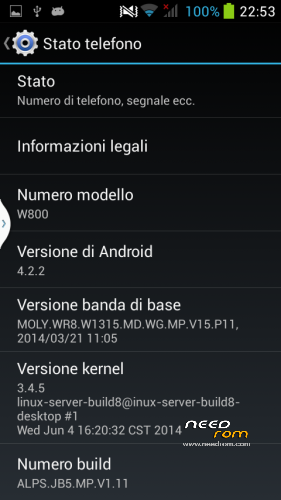
Rom Extracted from Star/Alps/XK W800 S5 Mini. FLASH TOOL VERSION
Baseband 21/04/2014
Rom 4.2.2 ALPS.JB5.MP.V1.11
Kernel 3.4.5 04/06/2014
Multilanguage
Gapps – No Root (Please root with Root Genius)
UPDATE July 2014
New Version June 2014 KIT KAT:
Issue:
GPS Fix.. very slow.. waiting 30minutes.. first GPS and only 3 satellites (faster gps doesn’t help)
Flash: not syncronized with shoot, result Black Photos in low light
※Please make a backup of your device before installing or updating ROM
4.4.2 invalid IMEI.
Each root bankruptcy procedures are saying.
If no ROOT. Can not restore the IMEI.
Idea?
4.4.2 works fine.but as said above by megthebest.can’t use location.no fix works,camera take 1.3mpx pic & not 5mpx flash light don’t work atall.
Solution for imei is to backup nvram.bin & tar by mtk droid tool & restore it back after flashing firmware or copy any valid imei using mtk droidtool.phone has to be rooted
Hi,
Please send a link to the installation manual.
After starting, I got this:
BROM ERROR : S_DL_GET_DRAM_SETTING_FAIL (5054)
[EMI] Obtain DRAM Failed!
[HINT]:
Please check your load matches to your target which is to be downloaded.
Now I cant turn on my W800 ((
((
hello, pls try this rom https://www.needrom.com/downlo.....h-samsung-logo/
I flashed the W450 Firmware, and now it turn on, but there are only lines on screen. Now I try to flash this rom, and get:
BROM ERROR : S_FTHND_FILE_IS_NOT_LOADED_YET (5007)
There is file not loaded yet!!
[HINT]:
1. Please check if the DA path is correct.
2. Please check if all the ROM files exist.
3. Please check if the scatter file description is sync with the exist ROM files.
hello friend, you find a solution ? i flashed w800 4.4.2 to 4.2.2 and now i cant turn on phone, flashing s corect 100%, you solve your problem?
someone tell how to install the backup stock ROM 4.2.2!
flashtool does not work with this rom!
Sorry, 4.2.2 backup not complete, doesn’t install, due to missing files. Use 4.4 but at your own risk, not tested, i don’t have w800 anymore
Now I have installed the version 4.4.2 with CWM recovery and rooted, all perfect, thanks for the rom!
Successfully upgraded my star w800 to 4.4.2 ROM.
Some advice:
Don't forget to restart your PC after preloader drivers installation.
Check the "Upgrade firmware" option in the "sp flash tool" NOT the "download only" option, as the main partition table must be changed.
I've followed this video tutorial https://www.youtube.com/watch?.....v=ztI8sc8MUNo (the sp flash tool, version is older, however the process is the same)
you made the backup of version 4.2.2?
thanks for rom , …
I've followed the procedure from this video and it worked! You can skip the procedure up until the ~9:40 minute as you already have the needed recovery.img and the scatter file. Don't forget to enable debuging mode on your phone.
Good luck!