
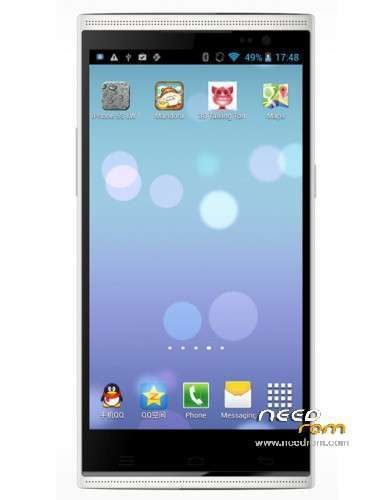
- Title: Star/Ulefone U5
- Listed: July, 2014
- Last modified: 07/07/2014 9:09 pm
- Version: ROM Android 4.4.3(4.4.2)
You must be logged for ROM download.
18568 total views, 2 today
 Member Info
DESCRIPTION
ROM Mobiles STAR/ULEFONE U5 – ROM Android 4.4.3(4.4.2)
ONLY MT6582
Official ROM STAR – ULEFONE U5 version: 20140621_e2109v82_gq3016
Gapps include – No Rooted
Language support: Multilang
Install ROM :
MUST INSTALL WITH ULEFONE FLASHTOOLS
-phone dial *#*#114#*#*.
remember the correct sensor number.
front and back camera
example
ov5647_mipi_raw,default
gc2235mipi_raw,default
- unpack Ulefone Flashtools
- download Smart Phone upgrade instruction
Known problems:
- IMEI deleted => need to root phone and use this guide
- calibrate proximity sensor => setting > display > Als_ps calibration
※Please make a backup of your device before installing or updating ROM
attention mode, only the front camera not upgrade
Lost my IMEI.
I also had that problem
this url resolve the problem
http://forum.xda-developers.co.....d.php?t=2318582
Good luck
p.s.
you will need root for this
The back camera not working, or I dont know how to switch to back camera.
you have to use the ulefone flash tool (have link on top, also read the instruction)
and select the correct camera (sensor) there
in my phone it was
ov5647_mipi_raw,default
gc2235mipi_raw,default
to check the correct sensor phone dial *#*#114#*#*
Good Luck
The Proxymity sensor is not working. How to repair?
After calibration works.
After one month of use, I found one mistake. The Camera app will not start if you have HDR shooting was on.
The fix for this galery.app erase data.
in kit kat you can download google camera
how did you calibrate proximity sensor?
i get calibration fail in EngineerMode
ok.
found it.
in setting > display > Als_ps calibration
now everything works perfect
hi,
i have one question:
i used ulefone flash tool – everything done ok – see picture
but rear camera does´nt work
Read again the manual
-phone dial *#*#114#*#*.
remember the correct sensor number.
front and back camera
example
ov5647_mipi_raw,default
gc2235mipi_raw,default
Of course i read manual and filled "camera" numbers – see picture
is still something wrong ?
Need working CWM recovery for this phone (Ulefone U5)
Anyone can help me to find one?
Thank you
HI
https://www.needrom.com/downlo.....arulefone-u5-3/
same rom with CWM recovery and 2GB app storage
use the following Numbers:
ov5648_mipi_raw,default : Main Sensor
gc2235mipi_raw,default : Sub sensor
Everthing will work fine, now the back camera is working. aslo for MoreFine U5 smartphone.