
- Title: STOCK FIRMWARE
- Listed: April, 2015
- Last modified: 04/29/2015 4:09 am
- Version: 4.2.2
You must be logged for ROM download.
14069 total views, 2 today
2 Total favorites
OFFICIAL


 Member Info
DESCRIPTION

Downloads:
1. Stock Rom of Micromax A77 Canvas Juice
Step 2: Extract the Stock ROM folder where you want
Installation of the USB driver
Step 3: Extract and open the SP Tool. Flash_tool.exe Run as Administrator
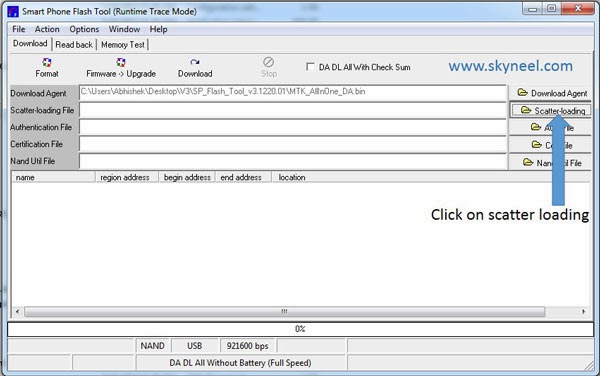
Step 4: Click on Scatter-Loading option.
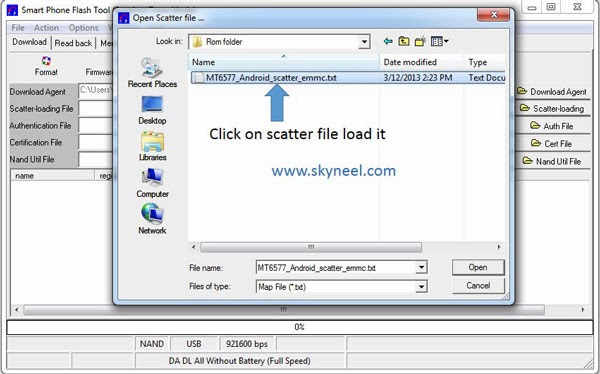
Step 5: SpTool ask you the location of the scatter file in your PC. You will find it in the extracted Stock ROM folder. Now go to the Rom folder and select the file "Android_scatter_emmc.txt" which is our scatter file.
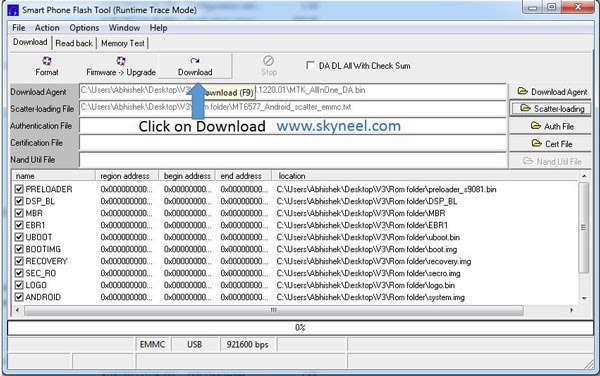
Step 6: Now click on Download

Step 7: Connect your switch off phone with PC via USB cable (Make sure your phone is switched off).and remove your bettry
Step 8: SP Tool detect your phone and process will start. If Sptool is not recognize/detect your phone then install vcom driver read this post it will help you click here (Driver already in phone flash drive if you don’t have these drivers then install it)http://www.skyneel.com/2013/06/Micromax-A110-How-to-install-Vcom-driver-in-cynus-t2-and-any-MTK-device.html
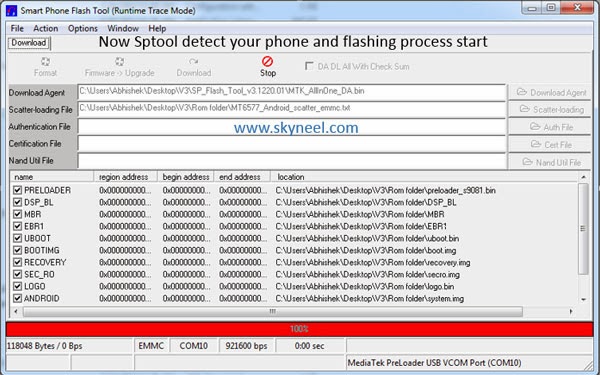
Step 9: Now start downloading Stock Rom in your phone by flashing
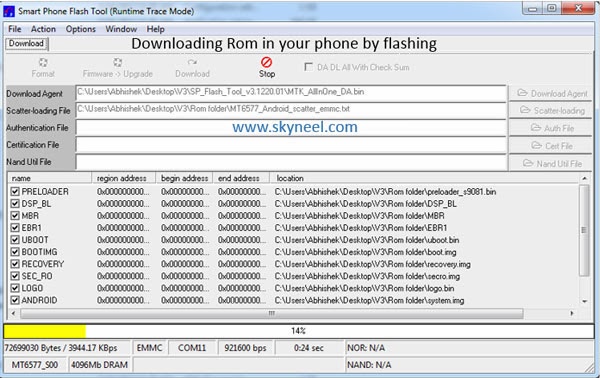
Note: - Don't interrupt this process as it can potentially brick your device. Make sure no power interruption takes place.
Step 10: After the process complete, a green ring will appear.
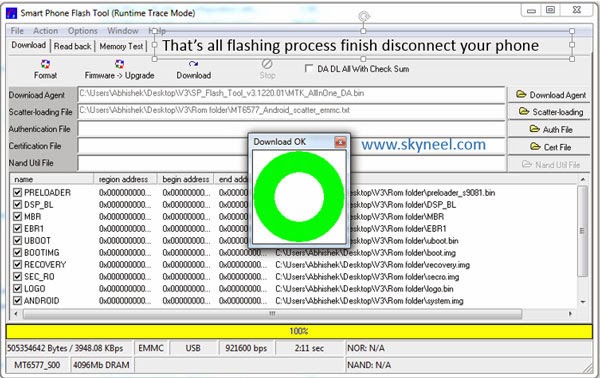
Step 11: Disconnect your phone. Now your phone is updated. If you feel any problem of flashing or update your phone then watch this video
https://www.facebook.com/biswajitmajumdar00
select all yellow letters
※Please make a backup of your device before installing or updating ROM
its a a110q rom or a177 rom?
mmx 177 stock firmware :p
bro the rom you are posting are already on need rom ..
bro isme 1dam smpl stp he driver installer