
- Title: Stock Recovery
- Listed: February, 2015
- Last modified: 02/05/2015 3:02 pm
- Version: Stock Recovery
You must be logged for ROM download.
15427 total views, 1 today
1 Total favorites
OFFICIAL
 Member Info
DESCRIPTION
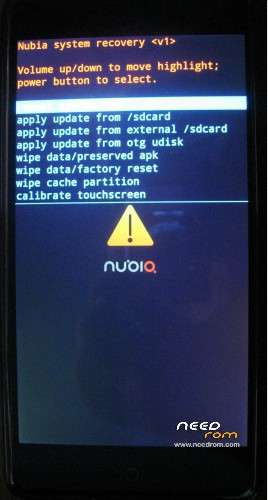
Stock Recovery Nubia Z7 MAX Android v4.4
Install Recovery:
1)Download Stock Recovery and Rashr Flash Tool.UnRAR and put the two files to internal device storage.
2)Install the Rashr – Flash Tool v2.2.8.apk and run it.
3)Select "Recovery From Storage" and give the Stock Recovery.img file,choose "Yes,Please".
4)DONE.
※Please make a backup of your device before installing or updating ROM
the stock recovery has changed since firmware 1.58. better UI and can select recovery language
One question.. I have custom recovery and I can't upgrade phone by OTA. Is it change somethink when I instal this recovery (can I?) before upgrade (ROM V1.41) ?