
- Title: Stock Rom For QMobile i6
- Listed: December, 2014
- Last modified: 12/17/2014 3:13 pm
- Version: 4.4.2
You must be logged for ROM download.
19585 total views, 1 today
4 Total favorites
OFFICIAL



 Member Info
DESCRIPTION
QMobile I6 Stock ROM
- Pure & original ROM from QMobile
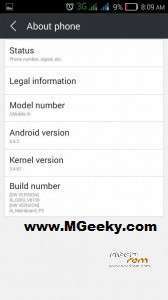
- Latest updated ROM that is 4.4.2 kitkat
- No changes with all QMobile Apps
- QMobile Stock Boot logo
- Users of 4.2 JB can use this to upgrade without going to center
Steps to follow:
- Download Drivers, Flashtool and Qmobile stock ROM from the link given above.
- Extract Drivers zip file in a folder
- Install Drivers and after installation reboot your PC once
- Now you have to extract Flashtool and Run Flash_tool.exe
- Extract Stock ROM rar file in a folder
- Click on Download tab in flashtool and click on Scatter-Loading
- Now browse to the ROM folder and select MT6582_Android_scatter.txt and click Open
- Now you have to Click on Download button
- Power off your QMobile Noir i6 and take out its battery for a couple of seconds.
- Put the phone’s battery back in and connect your Noir i6 with PC using USB Cable
- If everything goes well, you’ll see the progress bar and upon completion you’ll see Green Circle
- Now you can Safely Remove your Phone from PC and power it on
※Please make a backup of your device before installing or updating ROM
Brother tha rom that you have uploaded when i am trying to unzip the Archive it says no Archive found so can you please upload another ROM so i can flash my phone
ROM Archive is demage
Damaged File…………..
dameg file very bad yaaaaaaaaaaaaaaar dont waste time here
file is ok but not fully prepaid for flash tool
use mtk droid tool (to prepare blocks for flash tool) before use