
- Title: Stock S320 Version X
- Listed: October, 2014
- Last modified: 10/13/2014 4:03 pm
- Version: Fake JB 4.3.1 (4.0.4)
You must be logged for ROM download.
28989 total views, 3 today
6 Total favorites

 Member Info
DESCRIPTION
VERSION Y OF THIS ARRIVES ON NOVEMBER 1st OR 2nd Week Maybe.
THANKS
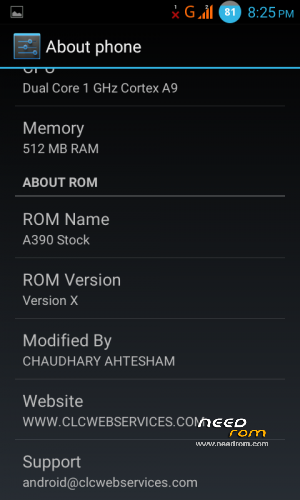
Lenovo A390 Stock ROM (A390_S320_130402) Modified CLC Web Services
A NEW FEATURE = This ROM Will Update Automatically When I'll make an Update.
Don't Remove OTA-UpdaterPro (Without that this ROM comes Unstable)
CHANGELOG:-
User Apps Include:-
Advance Power Menu (Power Menu MOD)(Xpossed)
LeSec Security
MichBox (System MOD)(Xpossed)
Multi Locker Screen
Statusbar Volume (Volume MOD)(Xpossed)
Super Backup
Viper4 FX
X Volume (Volume MOD)(Xpossed)
Updates:-
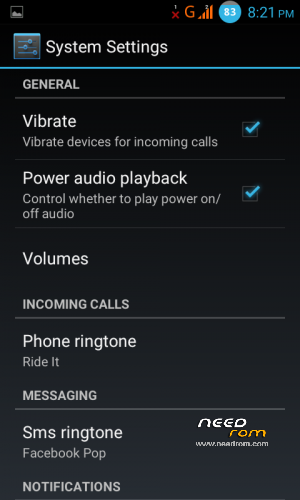
Able to toggle Power on/off sound
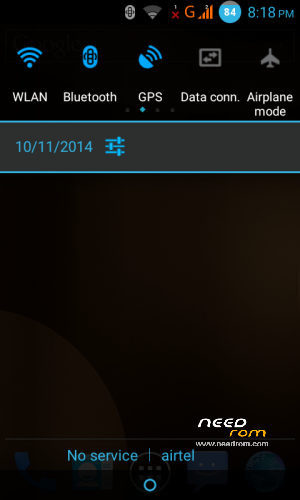
Default Quickpanel (Yellow) Color Changed with Blue Holo
ROM Updates Available through OTA Updater
Transparent Statusbar
Add Video Calling
Battery Styler (OGBatteryMod)
Includes in System:-
CM-Security
RAM Booster
Simple Notepad
Xpossed Framework
INIT.D Tweaks:-
Long Lasting Battery
Zipalign on every boot (by Brainmaster XDA)
V6 Supercharger (by zeppelinrox)
ZRam 128MB
Replaced:-
Default Equalizer / Viper4 XHIFI
Default Music Player / Latest Music Player
Deafult Sim Functions / Extended Dual Sim Function
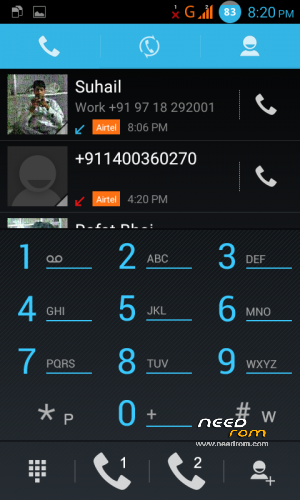
Default Dialer / KITKAT** Dialer
Default Contacts / Jellybean Contacts
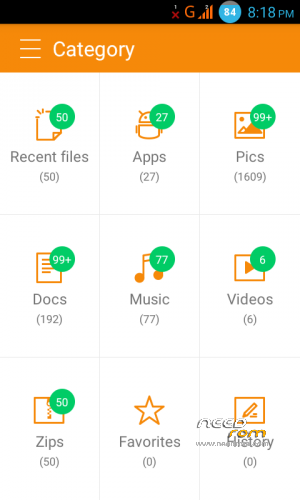
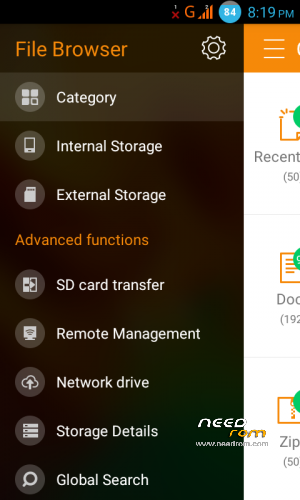
Default File Manager / Latest QQ File Manager
Deafult FMRadio / Latest FMRadio
Deafult DeskClock / Latest DeskClock
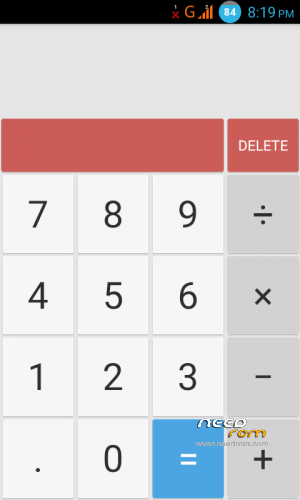
Default Calculator / KITKAT Calculator
Default Calender / Google Calender
Default Launcher / Default Android Launcher
Default Bootanimation / Cyanogenmod BootAnimation
Default System Sounds / Android L System Sounds
Default Fonts / Android L Fonts
Default Messaging / Modified Messaging App
Default Mediatek Wallpaper / CM Wallpapers
Edited Files:-
1:- SYSTEM/APP
Browser.apk
Contacts.apk
DeskClock.apk
Email.apk
FileManager.apk
FMRadio.apk
Launcher2.apk
Mms.apk
MtkBt.apk
Music.apk
PackageInstaller.apk
Phone.apk
Settings.apk
SettingsProvider.apk
SystyemUI.apk
TelephonyProvider.apk
WiFiDirectDemo.apk
2:- SYSTEM/FRAMEWORK
android.policy.jar
framework-res.apk
huaqin-res.apk
mediatek-res.apk
services.jar
theme-res-lenovo.apk
& MANY OTHERS = Binaries, Libraries, Kernel, Boot, Modules, & ETC….
Remove some libraries that not used by system (Free Some Space for extra Performance)
(** Means My version 4 KITKAT UI ROM)
Copyrighted & Licenced By Ahtesham Chaudhary (CLC Web Services)
※Please make a backup of your device before installing or updating ROM
how to make statusbar transparent??
Mrxtechnetx :
how to make statusbar transparent??
Activate xposed installer and use xblast. Change to any dark color first then restart. After restart choose the transparent color.
nice rom dude
how about GPS, i mean navigation?
Please add double tap to wake feature in kernel
Is this better for gaming?
unfortunately,setup wizard has stopped
tried installing gapps too, while installing rom
still same error
First do a factory data reset. Then install rom. Then gapps, then reboot. Setup wizard may force stop at first, but then it works fine.
yeah… tried installing it again it woked, thanks
would like to ask you one more question, how can I add widgets on home screen?
It’s easy. In the app drawer of the default launcher, there’s a separate tab for widgets. Tap and hold the widget/shortcut you want and release it on the home screen as you wish.
The rom is nice, but my phone automatically unroot after installing this rom, is that normal? Because now I can’t root my phone using framaroot please help!
yea they do that
SUPER ! GREAT ROM ! How to install? Just follow it :
Put downloaded zip into SDCARD
go to recovery (TWRP/CWM)
got to wipe (wipe system then wipe factory reset then android secure)
come back to main screen
press install (or install zip from sdcard)
select downloaded zip file
swip to install (WAIT)
(next is the GAPPS)
then reboot.
Where is version y. If ur still makint changes please mkae the zram work and please add a double tap to wake function