
- Title: Symphony W67 PussyFap V2
- Listed: August, 2015
- Last modified: 08/02/2015 2:45 pm
- Version: 5.0(4.4.2)
You must be logged for ROM download.
13742 total views, 1 today


 Member Info
DESCRIPTION
PussyFap V2 Rom For Symphony W67 mt6572kk
****************Wellcome*****************
""In the name of ALMIGHTY""
******>>New and special custom rom….
******>>First time for mt6572(4.4.2) user….
******>>>NAME.  USSY FAP V2
******>>>Dev. :Team_pussy
******>>>Porter. :MINHAZ AHMED RIFAT(MARS)
******>>>Device. :Symphony W67
******>>>Hardware:mt6572_kk
Speciallity>>>>
**>>Android lolipop inspired ui(5)
**>>Android lolipop themed system app
**>>Android l bootanimation…
**>>Android lolipop ringtones…
**>>Lolipop platlogo
**>>xposed included in settings.apk
**>>updated apps
**>>personally edited nova launcher with android l themed style
**>>Host working properly
**>>Deodex
**>>zipalign
**>>busybox pre_installed
**>>awasome app collection
**>>viper4android fully working
**>>battery styler…
**>>new awasome looking dialer,contacts and messaging app
**>>personal modded flashlight
**>>framework styled
**>>headsup notifier
**>>better battery performance
**>>better charging speed from stock rom
**>>speed indicator alianged…
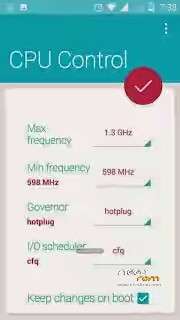
**>>better CPU control
**>>engeeniering mod alianged…
**>>list view animation added…
**>>Ridmik keyboard used….
::: Procedure for Flashing a custom rom via Philz recovery :::
#go to PhilZ recovery by pressing (power button + volume up button)
#select "Wipe and Format Options" >>>
then select "Factory Reset" >>> Yes
#then Select "wipe cache" >>> yes.
# Then select "Wipe dalvik / ART Cache cache >>> Yes
#then Return to the main menu again pressing +++ Go Back +++
#select "Install Zip" >>> Chose Zip From / storage / sdcard1 >>> select -Custom Rom >>> yes.
#then a process will occur.
#wait untill it finish
#then reboot your w67
::::::: Procedure for Flashing a custom rom via CWM recovery :::::::
#go to cwm recovery by pressing (power button + volume down button)
#select wipe / data factory reset >>> then select yes.
#Select Wipe cache partition >>> then select yes.
#then select mounts and storage> format / system> yes format
#then select advanced option >>> then wipe dalvic cache and wipe battery stat.
#then Return to the main menu again.
#select Install from sd card> install zip from SD card> select -Custom Rom> yes.
#then a process will occur.
#wait untill it finisheS
#then reboot your w67
::::::: Procedure for Flashing a custom rom via TWRP recovery :::::::
# Power off your phone.
# Turn your phone on in recovery mode (by pressing VOLUME UP + POWER buttons).
# Go to TWRP {Also known as Recovery Mode. }
# GO> WIPE> ADVANCED WIPE> SELECT – DALVIC CACHE, CACHE, DATA, ANDROID SECURE, SYSTEM AND THEN SWIPE TO WIPE
# THEN A PROCESS WILL START AND WAIT UNTILL IT FINISHED.
# THEN SELECT- BACK AND RETURN TO MAIN PAGE.
# NOW THE FINAL PART- SELECT – INSTALL> SEARCH YOUR ROM
# AND THEN SWIPE TO CONFIRM FLASH.
# WAIT UNTILL IT FINISHED.
# THEN WIPE CACHE / DALVIC CACHE.
# REBOOT YOUR PHONE / SYSTEM REBOOT.
Dhonnobad Sobaike
Amar jonno sobai dowa korben please …
※Please make a backup of your device before installing or updating ROM
tnx bro