
- Title: T11_KK_Material Dark
- Listed: February, 2015
- Last modified: 03/18/2015 11:31 pm
- Version: 4.4.2
You must be logged for ROM download.
23530 total views, 6 today
5 Total favorites

 Member Info
DESCRIPTION
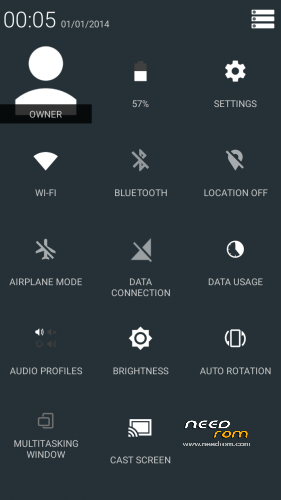
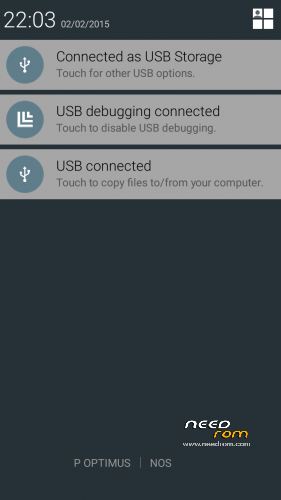
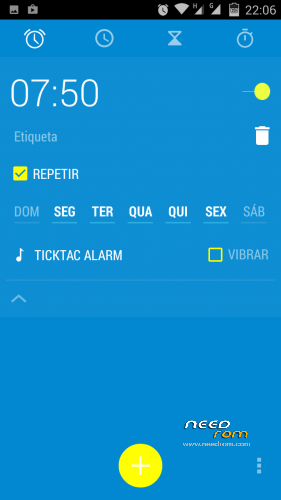
Rom completely modded to look like Android L material, this time white version.
100% Deoxed
Root
New boot.logo
Android L boot.animation
Ringtones, alarm, notification and system sound from android L
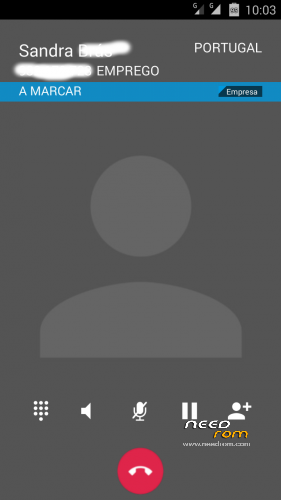
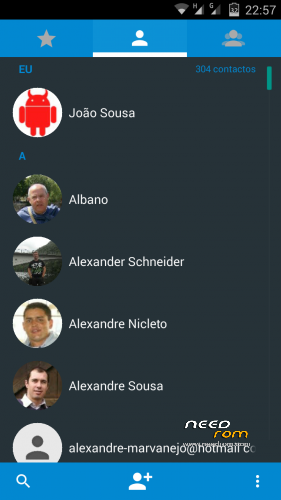
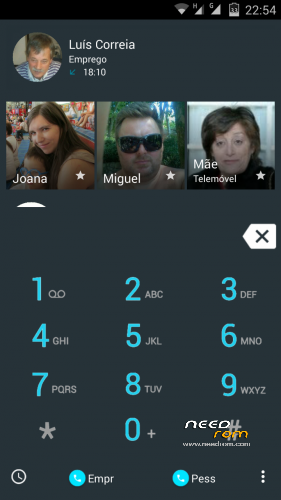
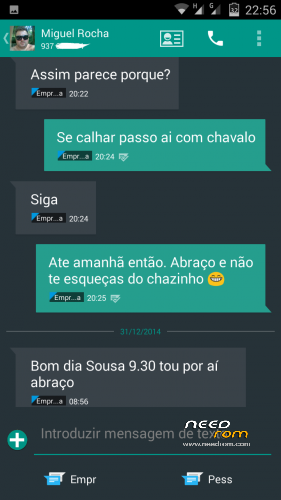
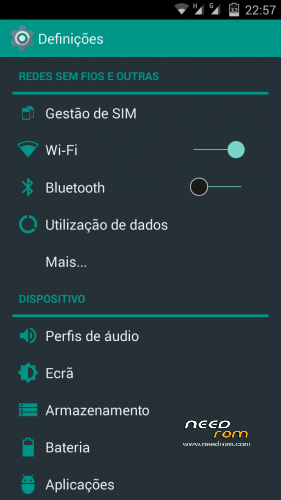
Framework, SystemUi, Settings, Dialer, Contacts, Mms, Clock extremely modded to look like Dark Material (all icons and other stuff from Android L and look like material style)
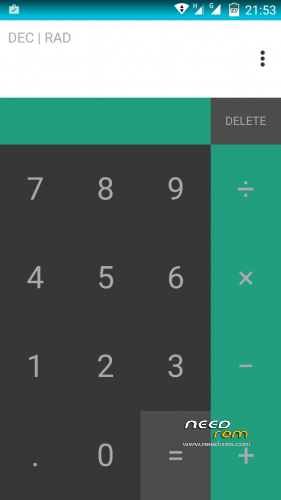
New calculator taken from one plus modded like material
Removed unnecessary apk
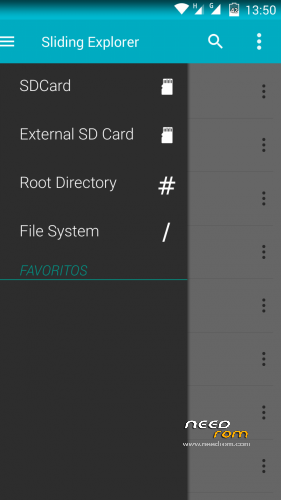
New file browser with material theme
Gapps included updated
Engineer mode include in developer settings
Material keyboard included (go to settings, language,google keyboard,advanced settings and choose material in color)
Removed original launcher replaced by Nova with moonshine icon pack
Full white status bar icons
Battery icon with percentage in status bar
Led notification ok
Led turn of after complete charge
Full screen photo on incoming/outgoing call
Smart wake works
Some build.prop tweaks
Xposed works (didn't try new version of gravity box but i think is fully working)
T11_KK_Material_Dark
Black material instead of white in native apps
Updated Nova to Prime version
Install ROM:
CWM
Step 1: Download the custom ROM copied to an external SD card root directory
Step 2: the shutdown state. While holding down:
– Power button + volume button up, to enter the recovery mode.
– Wipe Data / Factory Reset
– Wipe Cache Partition
– Wipe Dalvik Cache
–Format System
Step 3: Return to recovery main interface Install zip from sdcard -> choose zip from sdcard -> Select your ROM
Step 4: Wipe Cache and Dalvik Cache again (i allways made that)
Step 5: Restart the phone
After first boot will appear com.process.android.phone stoped. Go to settings/Date & time and unmark Automatic time zone will fix.
Before use rom go to supersu apk and update binary and reboot.
Unfortunately you need to move new application instaled to internal memory to fix bug of losing settings and widget of apks.
Take me lot of hours to made this mode and works very smoothy, very good battery and look, no reboots.
Thanks to people of 4pda.ru and mobilearena.hu for their work with this mobile.
A special thanks from user ElTifo from other phone from his ideas that i ported to this rom.
Hope you enjoy.
Patch to MMS (ONLY FOR WHITE VERSION)
Changed color of number in tab and incoming messages to white
Install by recovery.
If you like my work donate to me. Thanks to all.
※Please make a backup of your device before installing or updating ROM
hi … can you upload patch for ' Led turn off after complete charge ' ? i use official KK rom …. thank you very much ….
Carcaca, Thanks very much for this.
You make a very good work, I have like 2 months with your version and work fine.
The battery last longer, and the phone feel faster that original.
Great Job.
Do you would like to job in a special fork of Android OS ??
good rom, but with gravity box the phone almost never initiates the first, starts at two or three times after reboot only. any solution? you expect to get new rom t11 thl ?. thank you very much. good job
Really best working ROM for THL T11 on this site. I only had some issues with TouchPal keyboard – after phone reseting I had to setting up it again and again with every restart (I am turning my phone off when I go sleep). Solution was: move app as system app with RootUninstaller.
For other apps where I noticed some issues, help me in 99,9% move app into internal storage instead of having it in phone memory.
However, what is little annoying, I am not able to choose what will be primary SIM for regular calling and when I find phone number from phone book, I can not choose which SIM should be use for calling – always is use the same.
Dual SIM button work only for SMS and dial pad.
Hope this message help you to choose this ROM, because it is really great and most stable!
Hi guys, anyone knows how to create a flasheable image to use with flashtools from this rom? I had this room installed but my phone turned a brick. I try the flashtool method connecting it without battery but always get the "brom error s_ft_dram failed". I was wondering if the problem is because the rom I,m using or because the phone. I tried also to patch the internal connectors, but nothing works