
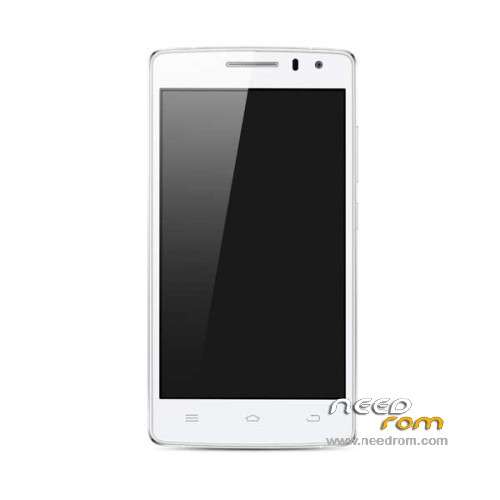
- Title: ThL 2015
- Listed: February, 2015
- Last modified: 06/01/2015 7:51 pm
- Version: ROM Android 4.4.4
You must be logged for ROM download.
41811 total views, 2 today
169 Total favorites
 Member Info
DESCRIPTION
ROM Mobile ThL 2015 – ROM Android 4.4.4
ONLY MT6752 + 2G Ram + 16G Rom + FHD
Update Official ROM ThL 2015 version: thl.2015.167B.1478ZF.A1.150327.LWT_KK.FHD.WB128_FB13720.EN.MV1616 – KTU84P – V1_CSFB
————————————————————————————————————————————————————————————————–
Official ROM ThL 2015 version: thl.2015.167B.1478ZF.A1.150309.LWT_KK.FHD.WB128_FB13720.EN.MV1616 – KTU84P – V1_CSFB
Gapps include – No Rooted
Language support : en_US,en_IN,fr_FR,it_IT,es_ES,et_EE,de_DE,nl_NL,cs_CZ,pl_PL,ja_JP,zh_TW,zh_CN,ru_RU,ko_KR,nb_NO,es_US,da_DK,el_GR,tr_TR,
pt_PT,pt_BR,rm_CH,sv_SE,bg_BG,ca_ES,en_GB,fi_FI,hr_HR,hu_HU,in_ID,iw_IL,lt_LT,lv_LV,ro_RO,sk_SK,sl_SI,sr_RS,uk_UA,vi_VN,tl_PH,ar_EG,
fa_IR,th_TH,sw_TZ,ms_MY,af_ZA,zu_ZA,am_ET,hi_IN,en_XA,ar_XB,fr_CA,km_KH,lo_LA,ne_NP,mn_MN,hy_AM,az_AZ,ka_GE
Install ROM :
- Unpack FlashTools, and Click on Flash_tool.exe
- Select a the MT6752_Android_scatter.txt in ROM
- Wait file to be added into Flash Tool
- choose Option->USB Model,click USB Model
–> Choose Option->DA DownLoad All->Speed->High Speed, click High Speed
- Turn off your phone, remove the battery.
- "Press F9 (hit Download button)" OR " if upgrade ROM Firmware->Upgrade "
- and connect your phone into the computer via USB data cable.
- The process will start and a red progress bar will appear after color purple, yellow.
- And green circles display
- Finish !
- You can now safely disconnect your phone and turn it on.
※Please make a backup of your device before installing or updating ROM
Hello,
could anybody sent me the correct settings for gps including glonass?
my phone sets after an system-reset these settings to blank (in engenieer-mode –>LocationBasedSettings)
I´ve tried the default´s, but they are not so good as before.
What are your best settings (for eurpoe)?
Thanks in advance!
Somebody help me, if i click download nothing happens.
150327<——is that an new update????
Where is the changelog?
whats the different from 150309 update????
Yes please, appeared just a few days ago but dated from 27/03 … changelog please ?
2015.03.28
Version number:thl.2015.167B.1478ZF.A1.150327.LWT_KK.FHD.WB128_FB13720.EN.MV1616
Modifications:
1. CPUZ detect mobile phone battery capacity is only 1000mAh, modified 2500Ah — with lower CPU-Z APK verification
2. wake up the screen, click on the top right corner of the fingerprint to unlock the interface of the Close button, select “Use alternate lock” and click “OK” button, the “OK” button for a few seconds at the press highlighted, wait a few seconds after the pop fingerprint to unlock error, see Link screenshots and LOG, error occurs in approximately 20,150,306.0911.
3. Try deleting the last fingerprint data, [turn off pop-up warning fingerprint unlock, and then remove the last one fingerprint, thank you! ], Set the text, as modified [Please set the unlocking means other than fingerprints to unlock, and then remove the last fingerprint data. ]. Likewise, the program will modify the corresponding warning into English UI under [Please changing your screen lock to another mode in addition to fingerprints Unlock and then remove the last fingerprint data.?.4. Set the guest mode to hide the Contacts application, enter the guest mode, close the holster, open holster, into normal mode, the screen stays in Idle interface, contacts application did not restore the status bar can not drop down. Only after you press the HOME button to resume normal operation of the video to see the link. NOTE: This problem is similar to the number 168 description, number 168 phenomenon is by entering a guest mode HOME Back to Idle interface solutions, the need to pay attention to this issue is best not to solve number 168 similar problem by modifying the way, if to do similar changes, such as the original stay in the QQ dialog interface, each normal mode after a return to Idle HOME screen, you need to re-open the QQ dialog box will affect the user experience.
Error # 3559 [application lock] encryption Smart Desktop backward any application to be unlocked and wallpaper set up a problem — common problems, if you download third-party desktop clients will have this problem
Failed. "The load scatter file is invalid!" "Please select the scatter file and select again!"
yolun,
If I remember you just need to edit the sctter file and suppress the first line…
cant get scatter to work for this phone im using rom officail and tried loads of sp tool versions ive downloaded sp usb rar file scatter file for 03272015 or 03092015 dont work what am i doing wrong
Please Help!!!
I deleted my "EFS folder" at the 1st flash and made no backup

The THL is running again, also with root privileges, but I have no more IMEIs and the EFS folder is also no longer there after a new flash. not found in the "Root Explorer".
Help !!! I Can no longer use it as a phone, the THL 2015
How can I get to a EFS folder again? So that I can insert the IMEI again? Can not get a folder from the network?
Please help me !!
Solved with engineer mode ,
Seemes that the THL do not have an efs folder .
flashed it as descibed but now phone doesn't boot anymore – the boot logo "thl" appears and then it stops. Any idea how to get it booting again?
Basically I was hoping that the firmware here allows to encrypt the device since this option wasn't available in the previous version which was on my phone