
- Title: MIUI-HUNGARY MSB V6_5.6.25
- Listed: February, 2015
- Last modified: 06/27/2015 2:20 pm
- Version: MIUI MSB V6 5.6.25
You must be logged for ROM download.
48977 total views, 4 today
15 Total favorites


 Member Info
DESCRIPTION
We have best MIUI support over the World, so this ROM not big deal.
I implemented some improvements into ROM to myself and I share with you.
If you like it, use it.
ROM from Hungary
*Weekly update
If you are happy for my work, remember to donate on paypal
If you want me to post monthly updates regularly please remember to donate. Even 1$ is appreciated.
When porting to other phones, indicate the source: 105kacsa MSB Thanks!
base built: HM NOTE 1W JH3CN0.0-d45ec9a852c7c0ef556f066c01eeab7eaa6f8b0c
Android version 4.4.2 KOT49HMIUI Multilang: MULTI 5.2.13
MULTI 5.2.25
Base: 5.2.25 Full Official ROM Xiaomi Redmi Note
http://bigota.d.miui.com/5.2.25/miui…871edd_4.4.zip
MULTI 5.3.4
Base: 5.3.4 Full Official ROM Xiaomi Redmi Note
http://bigota.d.miui.com/5.3.4/miui_HMNoteW_5.3.4_c28cde0fa5_4.4.zip
- No service bug remove fix
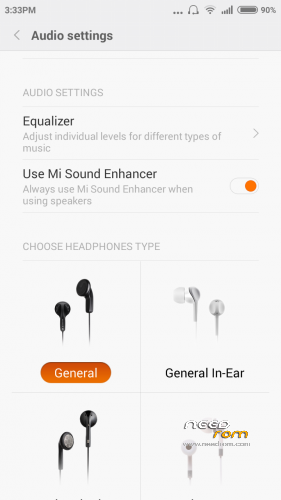
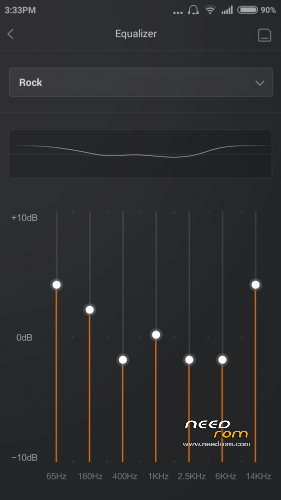
- Add Auido settings (Equalizer)
MULTI 5.3.4 fix
- All bug fixed
- Schedule power on/of fix
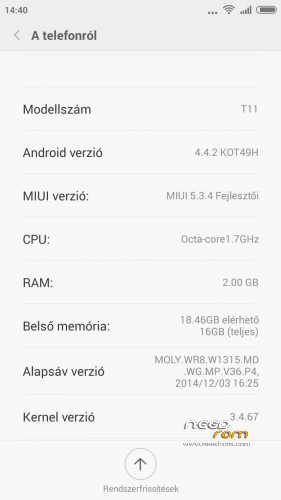
- RAM 2.00 GB
- New Theme
MULTI 5.3.13
- USB computer connection selector (MTP, PTP or Mass storage device)
-New – Sync calendar to Mi Cloud
-New – Support playing DSF format music file [Music]
-New – Xiaomi Radio
MULTI 5.3.27 Changelog: http://en.miui.com/thread-96650-1-1.html
MULTI 5.3.27 v2
FronCamera fix and spn.conf fix (SIM cards name)
MULTI 5.4.3 Changelog: http://en.miui.com/thread-99362-1-1.html
base built: www.miui.com/download-218.html (Languages: English, Chinese) my base built: http://miuiandroid.hu/index.php?page=xiaomi-redmi-note
+ Compass, work
MULTI 5.4.10 Changelog: http://en.miui.com/thread-101595-1-1.html
MULTI 5.4.17Changelog: http://en.miui.com/thread-103826-1-1.html
MULTI 5.4.24Changelog: http://en.miui.com/thread-106418-1-1.html
MULTI 5.5.1 Changelog: http://en.miui.com/thread-108300-1-1.html
MULTI 5.5.8Changelog: http://en.miui.com/thread-110927-1-1.html
MULTI 5.5.15 Changelog: http://en.miui.com/thread-113502-1-1.html
MULTI 5.5.22 Changelog: http://xiaomi.eu/community/threads/5-5-22.27610/
MULTI 5.6.18 Changelog: http://en.miui.com/thread-123846-1-1.html
MULTI 5.6.25 Changelog: http://xiaomi.eu/community/threads/5-6-25.27738/
Unofficial International MIUI / Xiaomi Phone Support
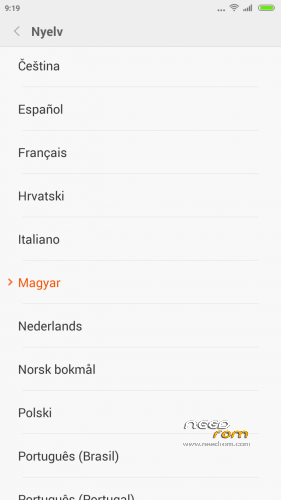
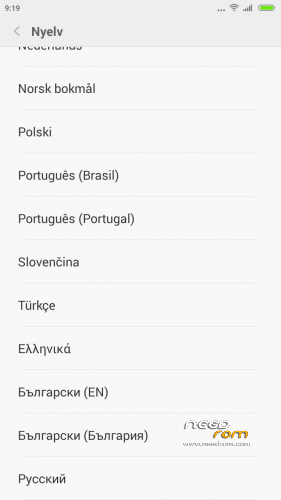
- multilanguage support: 20 languages (100% translation)
- Gapps include
Make a backup of your NVRAM/IMEI before flashing highly recommended !
Install ROM:
CWM
Step 1: Download the custom ROM copied to an external SD card root directory
Step 2: the shutdown state. While holding down:
– Power button + volume button up, to enter the recovery mode.
– Wipe Data / Factory Reset -> delete all user data
– Wipe Cache Partition -> Wipe cache
– Advanced -> Wipe Dalvik Cache
Step 3: Return to recovery main interface Install zip from sdcard -> choose zip from sdcard -> Select your ROM
Step 4: Brush complete, restart the phone Patience required – first boot takes a while.
If you liked this project, you can donate
※Please make a backup of your device before installing or updating ROM
Front camera no works on v17
Front camera perfect works !! install again(clear install, wipe data, cache, advanced cache)
Nothing no works
Stop the phone then obtain camera no works
Please reboot the phone
I change 3 recovery, 2 zip….but nothing
Front camera no run
It’s a problem of Android 442
For me front camera is working.
5.4.17 up to now all is working (exept Mi specific sound tools, but that will never work because of missing audio hardware)
Please say to me how install in ok mode
I confirm function camera front ok, almost everything works well, one big problem: after restarting, even during phone call! if you can understand why it happens it will be really great rom ..
How to install:
How I did it:
1st root
CWM: Load Mobileuncle MTK Tools from googlestore, install with root permissions. Backup your IMEI for MTK mobile
search internet for THL-T11-CWM-5.5-RUA.rar and extract MT6592_Android_scatter.txt and thl-T11_140326__recovery_140404-194433.img to root of SD card
Install with Mobileuncle MTK Tools point recovery update the T11_140326__recovery_140404-194433.img file. After reboot you have CWM (english menus) installed.
Boot in CWM (vol up + power) and follow steps from above description
Best regards ONTEOTHERHAND
Yes yes
I have installed 2 recovery
But nothing…..front camera no works
Now I have carliv touch recovery take here on need Rom
Please a patch for my front camera, thanks
5.4.24 again good work.Thank you.