
- Title: THL T11 KK MIUI
- Listed: December, 2014
- Last modified: 12/06/2014 10:02 pm
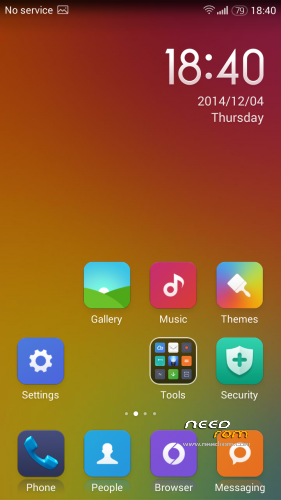
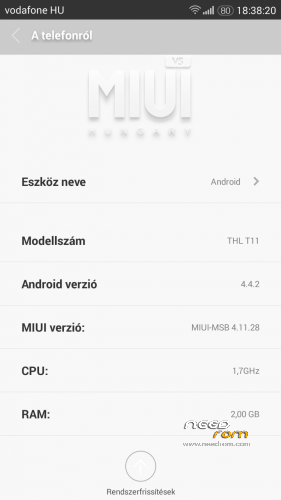
- Version: 4.4.2 MIUI-HUNGARY MSB 4.11.28
You must be logged for ROM download.
15464 total views, 2 today
2 Total favorites
 Member Info
DESCRIPTION
We have best MIUI support over the World, so this ROM not big deal.
I implemented some improvements into ROM to myself and I share with you.
If you like it, use it.
ROM from Hungary
*Monthly update
If you are happy for my work, remember to donate on paypal
If you want me to post monthly updates regularly please remember to donate. Even 1$ is appreciated.
When porting to other phones, indicate the source: 105kacsa MSB Thanks!
base built: thl_T11.159A.A2.KK.FHD.B1B5.EN.16P128.OV8825.MT6592GW.20141014
Elephone_P2000_4.4.2_Miui V5MIUI Multilang: MULTI 4.11.28
Unofficial International MIUI / Xiaomi Phone Support
- multilanguage support: 38 languages
- Gapps include
- added sysctl support
- added zipalign suport
- Bravia Engine Service
- Build.prop tweaks
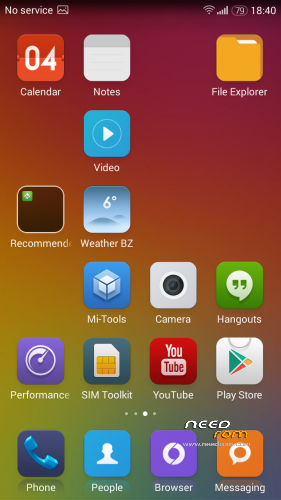
- Include: WSM-Tols, Mi-Tools, TintedStatusBa, MiThemes, Viper4 FX, Performance mode, Rboot to recovery mod,
USB Connect, Weather BZ
Bug: Blocklist, ART not working, Setting – Do not disturb doesn't work, Only one SIM card appears, but dual cards slot workable.
Make a backup of your NVRAM/IMEI before flashing highly recommended !
Install ROM:
CWM
Step 1: Download the custom ROM copied to an external SD card root directory
Step 2: the shutdown state. While holding down:
– Power button + volume button up, to enter the recovery mode.
– Wipe Data / Factory Reset -> delete all user data
– Wipe Cache Partition -> Wipe cache
– Advanced -> Wipe Dalvik Cache
Step 3: Return to recovery main interface Install zip from sdcard -> choose zip from sdcard -> Select your ROM
Step 4: Brush complete, restart the phone Patience required – first boot takes a while.
If you liked this project, you can donate
※Please make a backup of your device before installing or updating ROM
do settings revert after reboot like the other KK roms?
Not
on the moment the best kitkat rom for the thl11
some litle bugs but verry stable and fast
exposed framework and gravitybox works 100% good
good battery life
Can’t restoring backup from titanium backup
http://logout.hu/dl/upc/2014-1.....02-54.thumb.jpg
after restart
Can this rom work on thl t100s?
will be updated and no bugs for this beautiful rom?
yes
It is possible to ad miui dialer and miui contacts? Thanks for this rom
When wil you relase the update off this fantastic rom?
Its.the best kitkat rom for.the t11