
- Title: THL T11 MINIMAL v2 RoM by frakk
- Listed: November, 2015
- Last modified: 11/13/2015 8:24 pm
- Version: 4.4.2
You must be logged for ROM download.
16709 total views, 3 today
5 Total favorites
 Member Info
DESCRIPTION
THL T11 MINIMAL ROM v2 (The virgin, clean rom)
(NBSP v5 LITE)
At the request of: albunda and many others
Base: NBSP v5
(Official ROM THL T11 version: thl_T11.159A.A2.KK.FHD.B1B5.EN.16P128.OV8825.MT6592GW.20141014)THL T11
Full description:
- Android 4.4.2
- 100 % Deodex
- Multilanguage version (default language:English)
- Gapps include
- Root (SuperSu)
- LED notifications OK
- Smart Wake OK
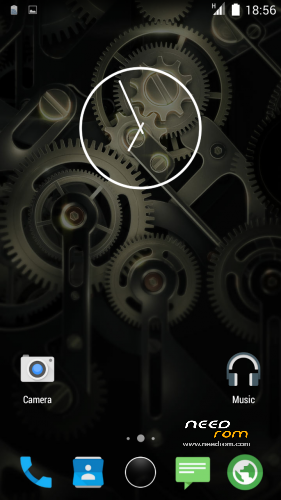
- Full White Statusbar Icon's
- Missing SIM-cards notify disabled
- Remove the Google search bar of Launcher
- GPS conf file Europe (other continent update above)
- Stock camera records mp4 format (not 3gp)
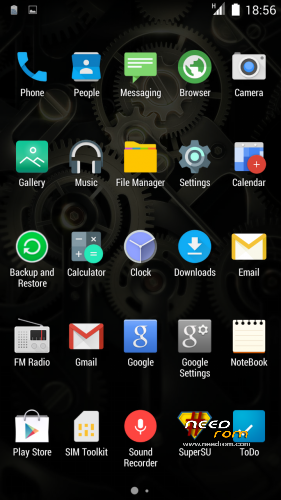
- Material icons
- Build.prop edited
- USB Debugging icon from Status Bar Disable
- Smart Wake Hungarian language added (own translation)
- Loud volume warning notification removed!
- New Ring App drawer
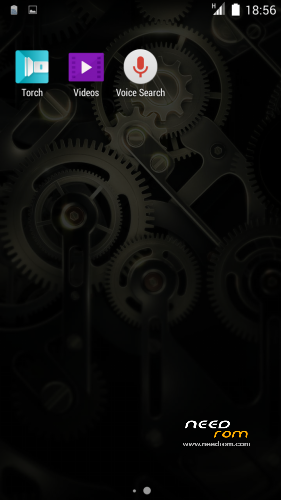
- The Applications menu is a 5×5 grid
- Charging LED turns off 90%
Delete apps and files (NBSP v5 base):
- Delete Rebooter app
- Delete GPS Test app
- Delete Mobileuncle MTK Tools
- Delete Xposed
- Delete QuickNote
- Delete cLock widget
- Delete MIUI v6 Clock widget
- Delete ringtones, notification, alarm sound
- Delete second Keyboard and emoji
- Delete GenieWidget
- Delete GoogleEars
- Delete GoogleTTS
- Delete Holo Spiral Wallpaper
- Delete Live Wallpaper
- Delete MagicSmoke Wallpaper
- Delete Google Maps
- Delete Mtk Weather Widget
- Delete PicoTTS
- Delete Pland3D
- Delete Visualization Wallpaper
- Delete Weather 3D Widget
- Delete Youtube App
Potential KK Problems and Solutions:
If you do not see 3rd party widget, when I Move apps to internal memory the problem is solved.
Or set Settings/Storage/Prefered insall loction/Let the system decide - choose
Please make a backup of your device before installing or updating ROM
CWM:
Step 1: Download the custom ROM copied to an external SD card root directory.
Step 2: the shutdown state. While holding down:
– Power button + volume button up, to enter the recovery mode.
– Wipe Data / Factory Reset -> delete all user data.
– Wipe Cache Partition -> Wipe cache.
– Advanced -> Wipe Dalvik Cache.
Step 3: Return to recovery main interface Install zip from sdcard -> choose zip from sdcard -> Select your ROM.
Step 4: Brush complete, restart
The phone Patience required – first boot takes a while.
※Please make a backup of your device before installing or updating ROM
¿Do you know if there is a way to make this work in this rom?
https://play.google.com/store/.....roid&hl=en
That takes to download and install to install Linux distributions on a PC using the phone.You do not need to do this particular Roma, rather the PC to receive the SO Linux must be compatible for installation from USB.
Your Rom is very good. How I can choose the sim every time to call number?
Ciao, è sufficiente andare in "impostazioni/gestione sim e mettere spunta su "duble dial button" noterai poi che è possibile fare la stessa cosa per sms…
Ciao
First of all, thanks a lot and kudos for the great rom …
Then a few questions:
- where can I download the xposed framework
- when I reboot I see text output detailing phone info, root acccess: is there a way to remove this and put in place a graphical boot animation?
- any 'dark theme dialer' available?
Thanks alot!!
Hello, great job for this rom ….. I saw that there rom lollipop for thl 100s, you can also make porting to t11 in the future?
Thanks again for your commitment …
It has been cm12, the Russian colleagues work.
http://4pda.ru/forum/index.php.....#038;p=45653140
Great job, no problems detected so far and works very fast.
Very Good!!!
Regards
Really good rom, thank you.