
- Title: Thl w11 3D Ui
- Listed: January, 2014
- Last modified: 01/27/2014 5:39 pm
- Version: Android 4.2.2
You must be logged for ROM download.
18262 total views, 3 today
 Member Info
DESCRIPTION
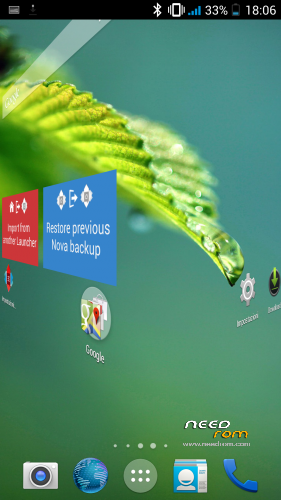
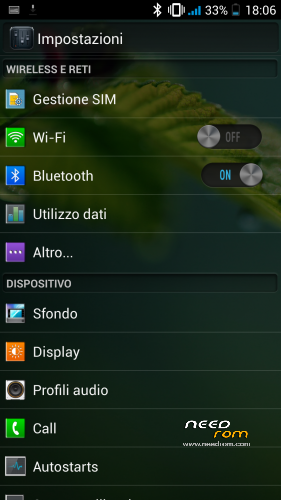
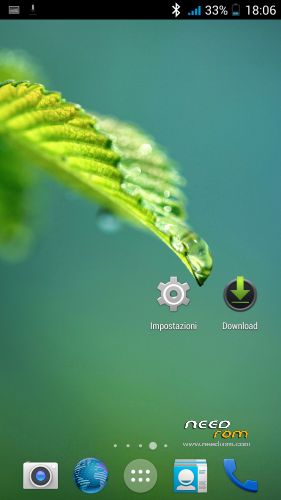
THL w11 3D UI version of Android 4.2.2
As the title suggests I present another wonderful rom for our magnificent Thl w11 2-32 .
My advice is to always install the latest version of the title, and then we go to install the rom via recovery have always been doing our wipe.
The rom has a small mistake! when you first start as the Sense UI , a problem with the system Ui and , as you can see the correction is automatic , the problem will not occur again …
Rom for Thl 2-32 w11 version B + keyboard XPERIA
Install ROM:
CWM
Step 1: Download the custom ROM copied to a root of the external SD card or internal
Step 2: the state of arrest. Holding down :
- Power button + volume button , to enter into recovery mode.
- Reset Wipe data / factory – > delete all user data
- Wipe Cache Partition – > Wipe Cache
- Advanced -> Wipe Dalvik Cache
Step 3 : Return to the main interface recovery install zip from sdcard -> choose zip from sdcard -> select the ROM
Step 4 : Brush, restart your phone Patience required – first boot takes a little '
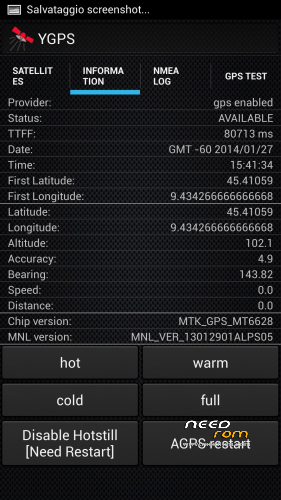
Hardware : MT6589
Model : THL W11
Build number : THL W11
Build date UTC : 20130817-093942
Android v : 4.2.2
Baseband v: MOLY.WR8.W1248.MD.WG.MP.V6.P9, 2013/09/17 14:21
Kernel v : 3.4.5 (ouyangxian@py-server1-desktop) (gcc version 4.6.x-google 20120106 (prerelease) (GCC) ) #1 SMP Fri Jul 26 16:14:00 CST 2013
Uboot build v : —– should be root shell
LCD Driver IC : 1-lp050anrp65a_ykl_fhd_dsi_vdo
To activate the advanced settings, you have to install and enable the module Xposed an advanced setting …………
if you liked the donations are welcome
※Please make a backup of your device before installing or updating ROM
then guys! for those who have problems with sd not detected so you can work with FileExplorer go :: system / etc / and then open the file with a file editor named vold.fstab, and once open go to modify this script
dev_mount sdcard / storage/sdcard1 EMMC @ fat / devices/platform/goldfish_mmc.0 / devices/platform/mtk-msdc.0/mmc_host
dev_mount sdcard2 / storage/sdcard0 car / devices/platform/goldfish_mmc.1 / devices/platform/mtk-msdc.1/mmc_host
in
dev_mount sdcard / storage/sdcard0 EMMC @ fat / devices/platform/goldfish_mmc.0 / devices/platform/mtk-msdc.0/mmc_host
dev_mount sdcard2 / storage/sdcard1 car / devices/platform/goldfish_mmc.1 / devices/platform/mtk-msdc.1/mmc_host
Very nice ui thanks
But only google play connection failed ?
I try other gapps and host
allora manicomio con fileexplorer vai in system/etc/ e poi apri con un file editor il file nominato vold.fstab e una volta qperto vai a modificare questo script
dev_mount sdcard /storage/sdcard1 emmc@fat /devices/platform/goldfish_mmc.0 /devices/platform/mtk-msdc.0/mmc_host
dev_mount sdcard2 /storage/sdcard0 auto /devices/platform/goldfish_mmc.1 /devices/platform/mtk-msdc.1/mmc_host
in
dev_mount sdcard /storage/sdcard0 emmc@fat /devices/platform/goldfish_mmc.0 /devices/platform/mtk-msdc.0/mmc_host
dev_mount sdcard2 /storage/sdcard1 auto /devices/platform/goldfish_mmc.1 /devices/platform/mtk-msdc.1/mmc_host
First off. If the ROM is for 32gb 2gb version "B" then, there should be no problem. Check your device if B or C. Mine is B and i haven't experience any of the ext card problems so i assume that Circu's roms are for "B".
Oops sorry, it should be Cricu.
To check. Key in * # 08 # on your dial pad then SN will appear. Count 7 from left and that 7th digit will tell you if your device is B or C.
thanks for your support, have lately without my pc broke lost everything