
- Title: Thl W11 OS Colors
- Listed: May, 2014
- Last modified: 05/12/2014 2:30 pm
- Version: 4.2.1
You must be logged for ROM download.
14349 total views, 1 today
 Member Info
DESCRIPTION
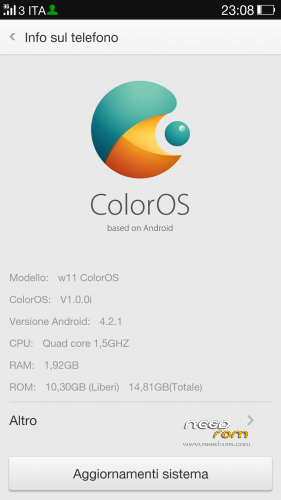
.Hardware: MT6589
Model: W11 Thl V. B 2-32
Build number: w11_Colors
Build UTC dates : 20130523-022107
Android v. 4.2.1
Baseband v: MOLY.WR8.W1248.MD.WG.MP.V6.P9 , 17/09/2013 14:21
Kernel v: 3.4.5 ( ouyangxian @ ouyangxian – Lenovo – Product) (gcc version 4.6.x – google 20,120,106 ( prerelease ) (GCC )) # 1 SMP Tue Sep 17 15:57:27 CST 2013
Install ROM:
CWM
Step 1: Download the custom ROM copied to an external or internal SD card root directory
Step 2 : the shutdown state. While holding down:
– Power button + volume button up , to enter the recovery mode .
– Wipe Data / Factory Reset -> delete all user data
– Wipe Cache Partition – > Wipe cache
– Advanced -> Wipe Dalvik Cache
Step 3 : Return to recovery main interface Install zip from sdcard -> choose zip from sdcard -> Select your ROM
Step 4: Brush complete , restart the phone Patience required – first boot takes a while
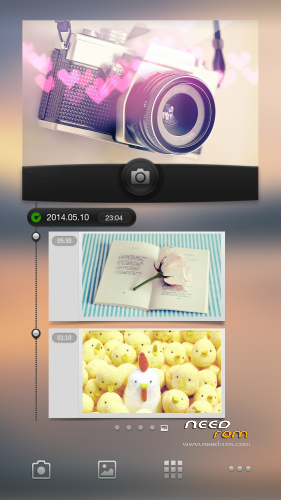
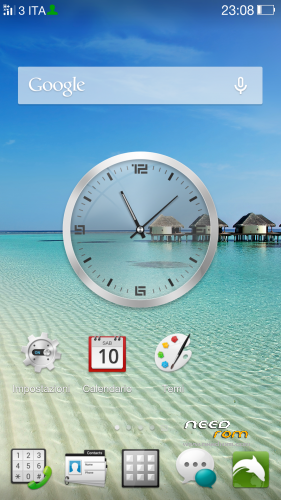
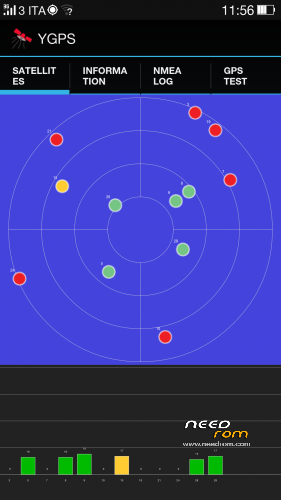
Hello Friends .. I present to you the color for our phone, everything works except the geomagnetic there's no way to make it work but I assure you it's worth a try…………
if you liked ! the donations are welcome
※Please make a backup of your device before installing or updating ROM
great rom
problem on setting custom tones in ringtones and notification. you can only set tones from default tones
you can, if I remember correctly
i can only set system ringtones but when i choose my custom ringtones from my files it wont set the ringtone and some mp3 songs that i want to set as ringtone wont also set
Where?
Hi! What languiges in ROM?