
- Title: ThL W200C 156G MIUI v5 Android 4.2.2 Multilingual & Root
- Listed: June, 2015
- Last modified: 06/30/2015 5:36 pm
- Version: MIUI v5 06/27/2014
You must be logged for ROM download.
15088 total views, 2 today
3 Total favorites

 Member Info
DESCRIPTION
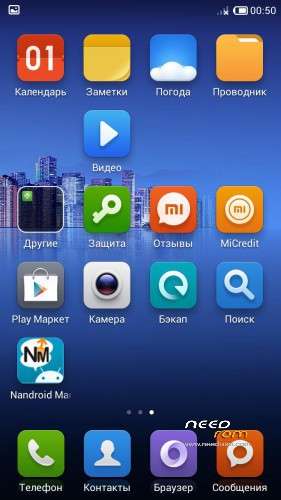
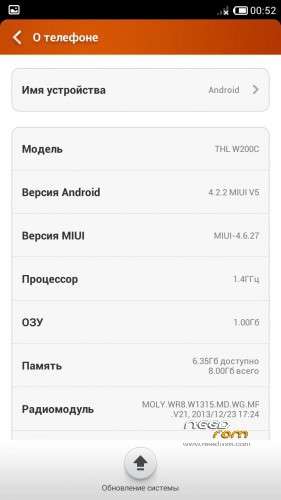
ThL W200C 156G MIUI v5 Android 4.2.2 Multilingual & Root – Only W200C 156G (You will try 156F, I dont know for result)
Gapps included – Rooted
Language support: Multilang
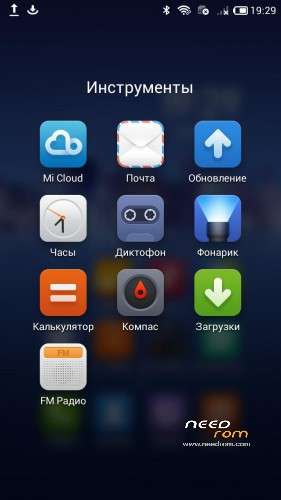
This ROM is a port of the Multilang MIUI V5 ROM from the Huawei G750
The result is a better, work 2 cameras fine ! Custom recovery – TWRP, thanx to SevenMax. Work 1 and 2 SIM to 3G. May remount SD as main memory from settings.
I hope this will help some of you !
To know which version of the W200C you have, just go to the setting and about Android.
You will see a text string like this: ThL.W200C.156G.A1. [...] etc etc …
If your phone doesn't boot, then try a StockROM for the 156G before, then try this one.
Generic installation instructions:
You may to use a computer on Windows XP or 7-8
You will need 7zip or WinRAR to extract the files.
Install ROM:
- Unpack FlashTools, https://www.needrom.com/wp-content/uploads/2014/06/SP_Flash_Tool_v5.1352.01.rar, and double Click on Flash_tool.exe
- Select a the MT6592_Android_scatter.txt in the unpacked firmware folder
- Wait for the files to be added into Flash Tool
- choose Option->USB Model,click USB Model
–> Choose Option->DA DownLoad All->Speed->High Speed, click High Speed
You may check only bootimg, recovery and system.
- Turn off your phone, remove the battery.
- "Press F9 (hit Download button)"
- Connect your phone to the computer via USB data cable. (you will have to connect the phone without the battery)
- The process will start and a red progress bar will appear after color purple, yellow.
- Then a green circles appears
- Finish !
- You can now safely disconnect your phone and turn it on.
※Please make a backup of your device before installing or updating ROM
does not bot up after installing
factory reset, it will boot
it is not rooted so how do i root it ?