
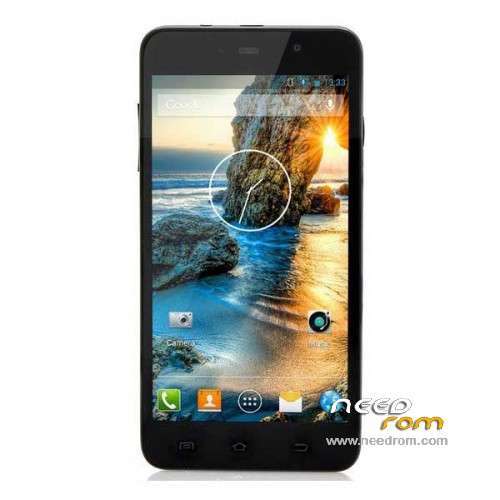
- Title: ThL W200S
- Listed: June, 2014
- Last modified: 06/11/2014 6:12 pm
- Version: ROM Android 4.2.2
You must be logged for ROM download.
20174 total views, 2 today
1 Total favorites
 Member Info
DESCRIPTION
ROM Phone ThL W200S – ROM Android 4.2.2
ONLY MT6592 – 156F – 8P64
Official ROM THL W200S: ThL.W200S.156F.A1.JB9.HD.EN.8P64.4E1.MT6592MW.20140609
ATTENTION this rom is for THL W200S 156F – 8P64 So look your "Buid Number" not compatible with this ROM
Gapps include – No Rooted
Language support: Multilang
Install ROM:
- Unpack FlashTools, and Click on Flash_tool.exe
- Select a the MT6592_Android_scatter_emmc.txt in ROM
- Wait file to be added into Flash Tool
- choose Option->USB Model,click USB Model
–> Choose Option->DA DownLoad All->Speed->High Speed, click High Speed
- Turn off your phone, remove the battery.
- "Press F9 (hit Download button)" OR " if upgrade ROM Firmware->Upgrade "
- and connect your phone into the computer via USB data cable.
- The process will start and a red progress bar will appear after color purple, yellow.
- And green circles display
- Finish !
- You can now safely disconnect your phone and turn it on.
※Please make a backup of your device before installing or updating ROM
hi, what is the difference between 156d and 156f,thanks.
Hi ,
I flashed this ROM before seeing the warning of the ROM Version and now my phone has stopped working. I have been trying yo flash it with Official Firmware but I am getting error message "PMT changed for the ROM. It must be downloaded"
Please help.
This warning "ONLY MT6592 – 156F – 8P64" must be at the top not bottom
Hi ,
Can anyone help? My W200S cannot power up after flashing this ROM. Tried flashing other ROMS but get error message "PMT changed for the ROM. It must be downloaded"
In case of PMT related error messages try to Firmware/Upgrade with Flashtool without PRELOADER checked on the list, after you opened the scatter file. Easy as pie. Just open scatter file, then uncheck PRELOADER line (first), then Firmware/Upgrade, then plug your phone in.
Please let me know if this worked for you.
Hi Thanks for you help but still failing. When Firmware Upgrade selected changes to Download when PRELOADER is de-selected. Please see error message:
BROM ERROR : S_FT_ENABLE_DRAM_FAIL (4032)
[EMI] ENABLE DRAM Failed!
[HINT]
Please check your load matches to your target which is to be downloaded.
Maybe you can try the official factory firmware first to resurrect your phone. Then try a custom ROM.
Firmware: https://yadi.sk/d/A70cUgCAKKwS.....D
Tool: https://yadi.sk/d/C-u9W__pKKx5.....d
Hi horvathg1984,
Thank you so much by your experience and direction I have got my phone back.
Once again thanks
I made Official Rom deodexed with xposed working 100% for all w200s except 156F – 8P64. if someone need it i could upload. for 156f-8p64 just change installation script for use 3rd partition instead 5th one.Yes, Upload please.
Thank's !
Plz, upload that ROM, seems to be a nice one…
hi i flasehd the rom & the phone wont start at all computer is not recornize the phone please help me
what can i do to rollback ?
Do what horvathg adviced.
use SPflashtool and flash it with the firmware he attached.
thank you.
i cant the phone is in super brick i need jig
wher can i get one ? or how i can do it with out ?