
- Title: THL W5
- Listed: March, 2013
- Last modified: 03/10/2013 2:20 am
- Version: ROM Android 4.1.2
You must be logged for ROM download.
23111 total views, N/A today
2 Total favorites
 Member Info
DESCRIPTION
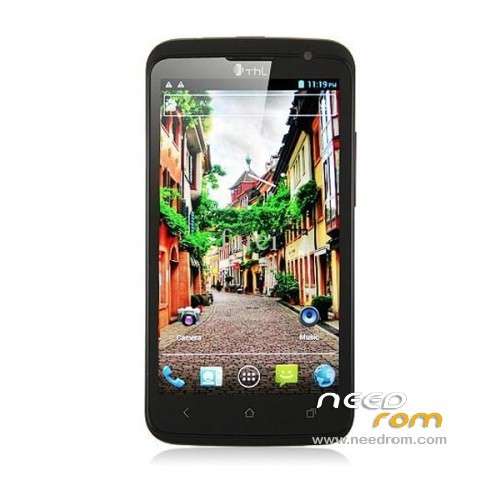
ROM Mobile THL W5 – ROM Android 4.1.2
Features ROM:
This file contains two ROMS! + ROOT !!
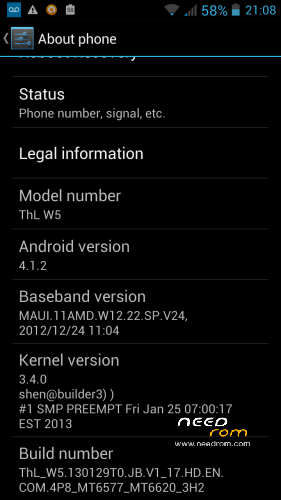
ROM 1: ThL_W5.130129T0.JB.V1_17.HD.EN.COM.4P8_MT6577_MT6620_3H2
This is the official THL 4.1.2 ROM.
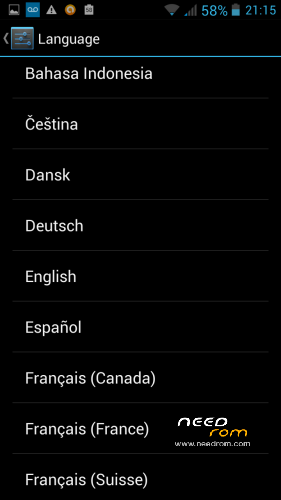
- Has ALL Languages (Not just Chinese and English)
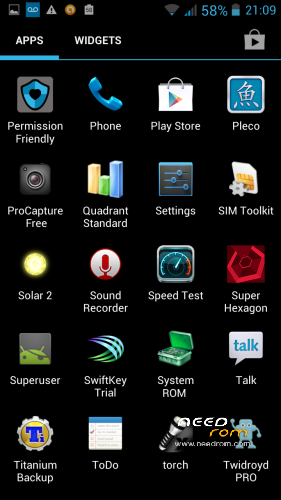
- Has Google APPs and Play Store (No Chinese APPs)
- Has working front and rear camera for ALL serial numbers of THL W5
- THIS IS NOT A ROOTED ROM! CAN USE TO FLASH BACK TO OFFICIAL ROM
ROM 2: ThL_W5.130226.JB.V1_17.HD.CN.COM.4P8_MT6577_MT6620_IMX105
This is a custom 4.1.2 ROM.
- Only has English, Chinese, and Russian
- Has Chinese APPs, no Google APPs
- Rear camera does NOT work for many serial numbers.
- DOES have ClockWorkMod Recovery portion
- WE ARE ONLY FLASHING THE ClockWorkMod FROM THIS ROM!
Install ROM:
You can either just flash the official 4.1.2 ROM, or you can also flash the ClockWorkMod Recovery portion and reboot into Recovery Mode to root your THL W5! This will root any version of THL W5.
Details:
Here is the full guide that I wrote up to help install. It is saved as a text file in the download.
There are three parts to this guide.
PART 1: USB Drivers
PART 2: SP_Flash_Tools
PART 3: Recovery Mode with ClockWorkMod (CWM)
PART 1: USB Drivers
If you have not installed the USB drivers for your THL W5, you must do that first! I've included three different ways to install the drivers. Pick the one that works for you. (I used the MTxx_USB_Driver)
If you don't know how to install USB drivers, google for a guide. There are MANY guides already for how to install USB drivers.
PART 2: SP_Flash_Tools
SP_Flash_Tools is what you use to flash a new ROM!
I've included two ROMs in this file.
ROM 1: ThL_W5.130129T0.JB.V1_17.HD.EN.COM.4P8_MT6577_MT6620_3H2
This is the official THL 4.1.2 ROM.
- Has ALL Languages (Not just Chinese and English)
- Has Google APPs and Play Store (No Chinese APPs)
- Has working front and rear camera for ALL serial numbers of THL W5
- THIS IS NOT A ROOTED ROM! CAN USE TO FLASH BACK TO OFFICIAL ROM
ROM 2: ThL_W5.130226.JB.V1_17.HD.CN.COM.4P8_MT6577_MT6620_IMX105
This is a custom 4.1.2 ROM.
- Only has English, Chinese, and Russian
- Has Chinese APPs, no Google APPs
- Rear camera does NOT work for many serial numbers.
- DOES have ClockWorkMod Recovery portion
- WE ARE ONLY FLASHING THE ClockWorkMod FROM THIS ROM!
1. Launch SP_Flash_Tools.
2. Click "Scatter-loading"
3. Go to the ROM 1 "ThL_W5.130129T0.JB.V1_17.HD.EN.COM.4P8_MT6577_MT6620_3H2" folder. (MAKE SURE YOU ARE IN THE CORRECT ROM FOLDER)
4. Select "MT6577_Android_scatter_emmc.txt"
NEXT STEP IS A LITTLE HARD. YOU WILL ONLY HAVE 1-2 SECONDS TO TRY. IF UPGRADE DOES NOT START, TRY STEPS 5 AND 6 AGAIN.
5. Turn off your THL W5 and take out the battery. Put the battery back in. (Leave your THL W5 turned OFF. If you have to redo Steps 5 to 6, only take battery out and put battery back in.)
6. Plug your THL W5 into your computer. In SP_Flash_Tools, click "Firmware -> Upgrade" BEFORE the THL W5 begins to charge. (You will only have 1-2 seconds to hit the button after plugging in your THL W5. If it does not begin to update, redo steps 5 and 6.)
7. Wait for the Firmware to finish upgrading. When it is finished, you will have the official THL W5 4.1.2 installed. (If you need to only restore your phone to factory settings, stop here. To root, continue with rest of steps.)
8. Close and relaunch SP_Flash_Tools.
9. Click "Scatter-loading"
10. Go to the ROM 2 "ThL_W5.130226.JB.V1_17.HD.CN.COM.4P8_MT6577_MT6620_IMX105" folder. (MAKE SURE YOU ARE IN THE CORRECT ROM FOLDER)
11. Select "MT6577_Android_scatter_emmc.txt"
IMPORTANT!!! WE ARE NOT FLASHING THE ENTIRE ROM! WE ARE ONLY FLASHING THE RECOVERY.
12. Deselect (no checkmark) everything, except for "RECOVERY"
[ ] PRELOADER
[ ] DSP_BL
[ ] MBR
[ ] EBR1
[ ] UBOOT
[ ] BOOTIMG
[x] RECOVERY
[ ] SEC_RO
[ ] LOGO
[ ] ANDROID
[ ] CACHE
[ ] USERDATA
[ ] FAT
13. Turn off your THL W5 and take out the battery. Put the battery back in. (Leave your THL W5 turned OFF. If you have to redo Steps 13 to 14, only take battery out and put battery back in.)
IMPORTANT: Hit the button "Download" in SP_Flash_Tools for step 14.
14. Plug your THL W5 into your computer. In SP_Flash_Tools, click "Download" BEFORE the THL W5 begins to charge. (You will only have 1-2 seconds to hit the button after plugging in your THL W5. If it does not begin to update, redo steps 13 and 14.)
15. Wait for the download to finish. This will be very fast, as it is a small file.
※Please make a backup of your device before installing or updating ROM
Hello,
where do i get the ROMs mentioned above?
Ooh sorry, i got the links
And woow!! It works just perfect. Thank you