
- Title: THL_W11-XPERIA 2-32 versione B
- Listed: January, 2014
- Last modified: 01/24/2014 1:23 am
- Version: android 4.2.1
You must be logged for ROM download.
25591 total views, 3 today
 Member Info
DESCRIPTION
Fixed all the bugs and real problems should be almost perfect.
Regarding the translation is not 100% ok! but almost
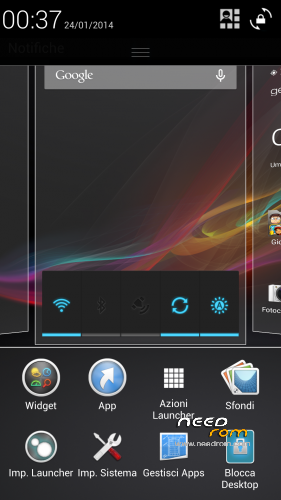
Rom for Thl w11 2-32 versione B + tastiera XPERIA
Install ROM:
CWM
Step 1: Download the custom ROM copied to an external or internal SD card root directory
Step 2: the shutdown state. While holding down:
– Power button + volume button up, to enter the recovery mode.
– Wipe Data / Factory Reset -> delete all user data
– Wipe Cache Partition -> Wipe cache
– Advanced -> Wipe Dalvik Cache
Step 3: Return to recovery main interface Install zip from sdcard -> choose zip from sdcard -> Select your ROM
Step 4: Brush complete, restart the phone Patience required – first boot takes a while
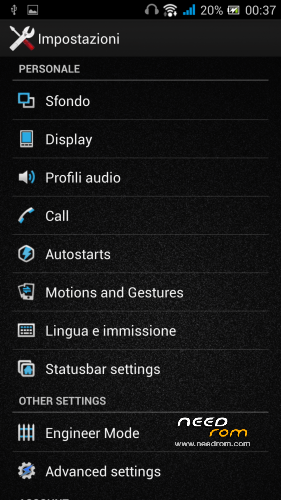
To activate the advanced settings, you have to install and enable the module Xposed an advanced setting …………
if you liked!! the donations are welcome
※Please make a backup of your device before installing or updating ROM
For assistance you can find me here http://kumaki.altervista.org/i.....ndex.php
then guys! for those who have problems with sd not detected so you can work with FileExplorer go :: system / etc / and then open the file with a file editor named vold.fstab, and once open go to modify this script
dev_mount sdcard / storage/sdcard1 EMMC @ fat / devices/platform/goldfish_mmc.0 / devices/platform/mtk-msdc.0/mmc_host
dev_mount sdcard2 / storage/sdcard0 car / devices/platform/goldfish_mmc.1 / devices/platform/mtk-msdc.1/mmc_host
in
dev_mount sdcard / storage/sdcard0 EMMC @ fat / devices/platform/goldfish_mmc.0 / devices/platform/mtk-msdc.0/mmc_host
dev_mount sdcard2 / storage/sdcard1 car / devices/platform/goldfish_mmc.1 / devices/platform/mtk-msdc.1/mmc_host
Please do so in the camera application was a choice (3GPP, MP4) + (Front Camera high quality video * 1080p *) thanks
Thanks circu75 nice ROM
Hi cricu75, when I have tried your solution to adjust the vold.fstab, the phone goes into bootloop T_T
you edited something wrong other users have modified the procedure performed with excellent results-
for quick service I put a link from a visit
greate work guys but please please make the next rom with kill all app buttom while pressing the home screen
hello what you want to install an exposed then restarts, after restart go in the app and activate the module exposed advance setting then reboots again the cell and from that moment you will have ladvance setting enabled and then apply the changes you want
When I try to download from the Google Play Store it says couldnt install in usb storage or sd card. What to do? Please help me