
- Title: THL_W8+-XPERIA
- Listed: February, 2014
- Last modified: 02/02/2014 12:54 am
- Version: android 4.2.1
You must be logged for ROM download.
18198 total views, 3 today
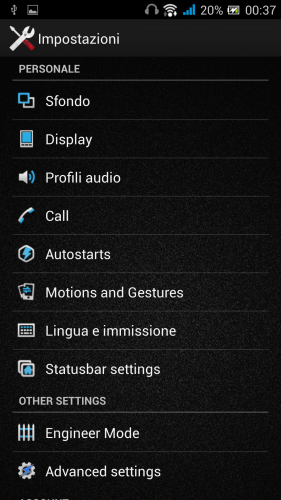
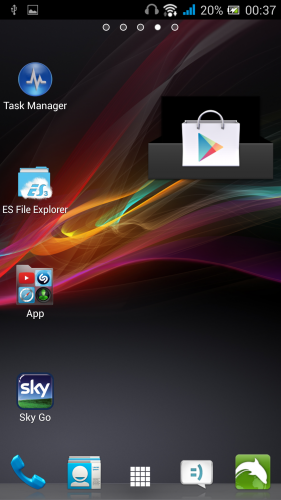
 Member Info
DESCRIPTION
Install ROM:
CWM
Step 1: Download the custom ROM copied to an external or internal SD card root directory
Step 2: the shutdown state. While holding down:
– Power button + volume button up, to enter the recovery mode.
– Wipe Data / Factory Reset -> delete all user data
– Wipe Cache Partition -> Wipe cache
– Advanced -> Wipe Dalvik Cache
Step 3: Return to recovery main interface Install zip from sdcard -> choose zip from sdcard -> Select your ROM
Step 4: Brush complete, restart the phone Patience required – first boot takes a while
Hardware : MT6589
Model : w8+
Build number : THL -W8+ – Xperia Z -29-7-2013
Build date UTC : 20130424-082644
Android v : 4.2.1
Baseband v: MOLY.WR8.W1248.MD.WG.MP.V7, 2013/03/15 23:33
Kernel v : 3.4.5 (builder@ubuntu) (gcc version 4.6.x-google 20120106 (prerelease) (GCC) ) #1 SMP Tue Jun 25 16:35:59 CST 2013
Uboot build v : —– should be root shell
LCD Driver IC : 1-nt35596_fhd_dsi_vdo_ykl
if you liked! the donations are welcome
※Please make a backup of your device before installing or updating ROM
Thanks
Thanks. Very good!!!!!
THL W8+ Rom is good, and stability. But BLUETOOTH is Not working. Please update.
BLUETOOTH PLEASE!!!!