
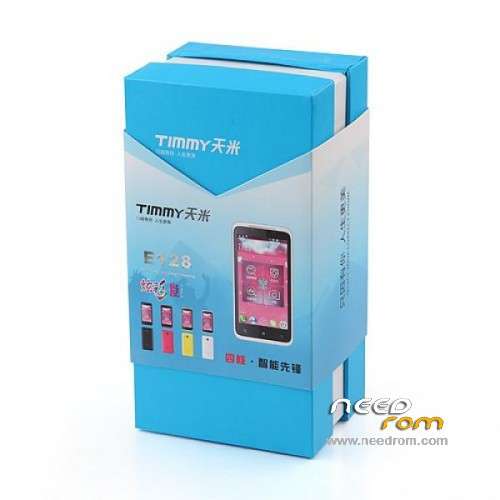
- Title: Timmy e128
- Listed: March, 2014
- Last modified: 03/28/2014 7:28 pm
- Version: Android rom 4.2
You must be logged for ROM download.
15123 total views, 1 today
OFFICIAL
 Member Info
DESCRIPTION
Stock rom for Timmy e128 4.5 inch dual sim ram 512 MB , download the file extract it, use the sp flash tools ,select scatter load mtk6572 on the folder timmy e128 ,select da dl all with check sum , press download if your phone work not use preloader file and mbr ,ebr ,only uboot,boot,recovery,android,logo ,remove battery of phone and put again then connect usb cable and start download ,wait few minuts, after done , power on the phone Thanks
※Please make a backup of your device before installing or updating ROM
the sp flash tool doesn't detect my phone, why? windows 7. I don't see the phone in windows explorer, but I see it if I click on eject USB icon.
you need install the driver. mtk.
hola he borrado todo y no consigo ,lo hago todo con flas toll y me da error al descargar ,por que ?
brom error s_ft_enable_dram_fail (2005)
brom error s_ft_enable_dram_fail (2005)
hy friend the scatter file is not for your phone ,or emmc damage . memory
Hi.
My Timmy E128 - SW_98512A_V013_HENGYUAN. LCD – W451101AAA-1D2. LCD broken.
I ordered a new LCD - W451353AAA.
I had to install a different firmware to the new LCD has started to work - SW_97512AZ_V002_HENGYUAN_MP (S720C).
But now not work wi-fi, bluetooth…
1. With your firmware will run my phone?
2. The seller sent me another firmware. But, Scatter – MT6577_Android_scatter_emmc.txt. Name - 20121227_e1901_v77_hy1_mt9p017_timmy. I doubt that the firmware is suitable for my phone…?
Many thanks.