
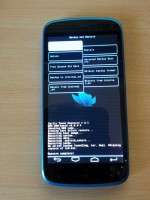
- Title: TOUCH CWM RECOVERY
- Listed: January, 2015
- Last modified: 01/25/2015 8:28 pm
- Version: 6.0.4.4
You must be logged for ROM download.
15691 total views, 1 today
1 Total favorites
CUSTOM

 Member Info
DESCRIPTION
1. Download the recovery
2. Put it on root folder of internal memory
3. Download MobileUncle tool.apk and install it.
4. Open MobileUncle tool give root permission and
5. Select recovery.img option and chose the recovery.img file you placed on internal sdcard.
6. follow instructions and the mobile will boot into TOUCH CWM.
7. You are done with TOUCH CWM
※Please make a backup of your device before installing or updating ROM
Link
it does not work!
When I enter in recovery mode I have a white image then my phone boot! ;(