
- Title: Touchwiz Redefined V2 for Xolo Q800 & Clones
- Listed: November, 2014
- Last modified: 11/30/2014 6:56 am
- Version: ROM Android 4.2.1
You must be logged for ROM download.
15174 total views, 2 today
1 Total favorites



 Member Info
DESCRIPTION
TOUCHWIZ REDEFINED V2 FOR XOLO Q800 AND CLONES
Highlights :-
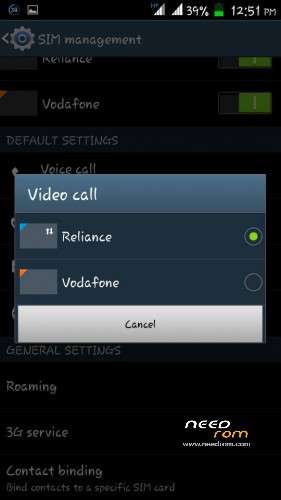
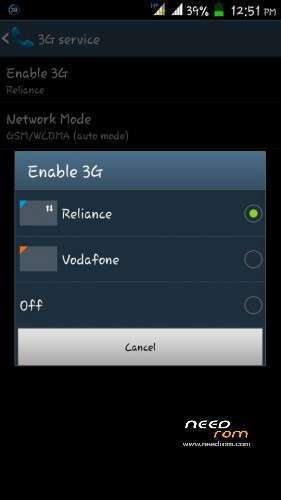
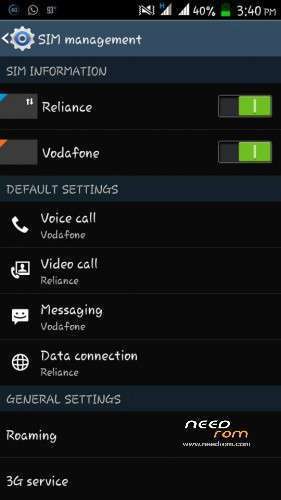
BEST FEATURE DUAL SIM 3G SWITCH IN BOTH THE SIM ALONG WITH VIDEO CALL FACILITY IN BOTH THE SIM
Features :-
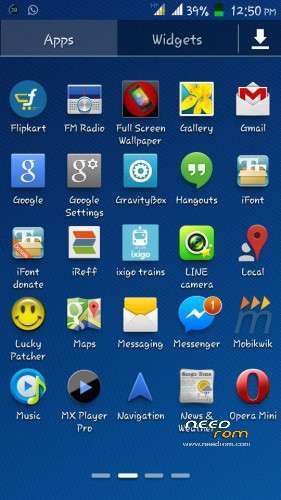
• Note 3 UI
• Launcher 6×5
• Air Gesture (Homescreen, Gallery)
• Smart Scroll
• Smart Pause
• Ink Effect on Lockscreen
• Transparent AccuWeather Widget
• Transparent Status Bar
• Dual Sim Dual Standby (3G + 3G)
• Samsung style status bar icons
• Swipe to Call and Swipe to Message
• Fully Deodexed & Zipaligned
• Xposed Framework
• Build.prop Tweaks
• Init.d support
• Floating Video Player
• Ram Booster
• Pre-Rooted
and many more……………
INSTALLING INSTRUCTIONS :-
1) Download zip file (TOUCHWIZ REDEFINED V2 zip and update zip)
2) Put into external sd card
3) Go to CWM/TWRP recovery
4) Wipe CACHE, DALVIK CACHE, FACTOREY RESET, INTERNAL MEMORY, SYSTEM, ANDROID SECURE
5) Then select the ROM ZIP and flash it. After flashing the rom select the UPDATE and flash it
6)Then reboot your device and wait for maximum 3minutes
7)cheerz your done now
CHANGELOGS :-
Play store bug fixed and no need of storage fix
NOTE :-
For using gravity box go to the application manager under settings and clear data of xposed installer. After that open xposed installer then select framework then select install and update and then select reboot. After rebooting your device open xposed installer then go to modules select gravity box and xbattery themer and then reboot your device. now you can use gravity box and xbattery themer.
※Please make a backup of your device before installing or updating ROM
Plz show me a pic of notification panel
Upgrade.zip doesn’t work….! battery back up not good but otherwise fine.