
- Title: Tron V3
- Listed: January, 2015
- Last modified: 01/15/2015 2:26 pm
- Version: Jelly Bean 4.2.2
You must be logged for ROM download.
22421 total views, 1 today
6 Total favorites
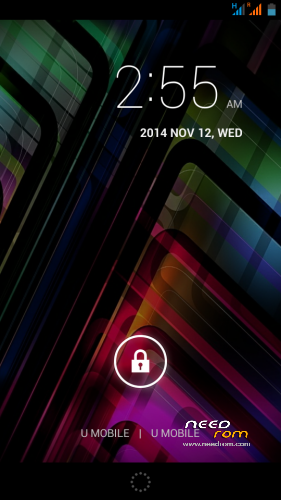


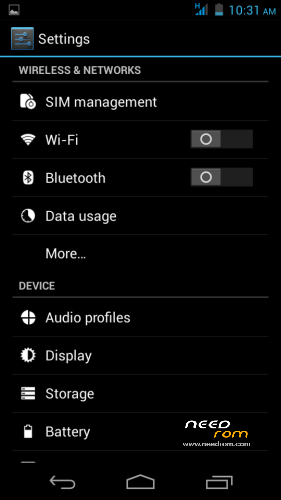
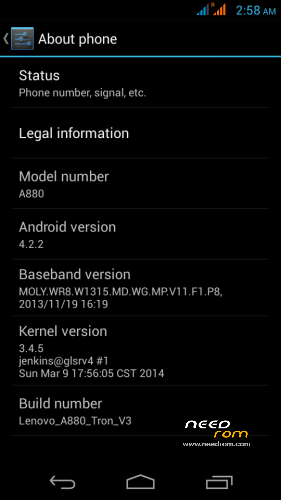
 Member Info
DESCRIPTION
FAST FASTER FASTEST – THIS IS TRON V3
And here comes the long-awaited Tron enhancement – V3 is all about Speed!
Language – Multilanguage
REQUIREMENT
-Rooted devices
WHAT IS INSIDE ROM
- AROMA Installer
- CyanogenMOD Ui
- Video Call
- Switch 3G SIM2
- SDCard as phone storage
WHAT IS WORK
- Everything!
WHAT IS NOT WORK
- Tell Me
CONFIRMED WHAT IS BUG
- Phone storage (view by using root explorer)
- Launcher FC when customise dock and homescreen
LIKE MY WORK? Click button DONATE…
Donation are most welcome 
Join Facebook Lenovo ROM MADTeam Malaysia for more ROM
YOU HAVE BEEN WARNED…..!!
Make Nandroid Backup 1st!!
1. FACTORY RESET / WIPE CACHE
2. INSTALL ROM
3. REBOOT
*SKIP ALL SETUP WIZARD EXCEPT GMT AND NAME…. THEN EVERYTHING WILL BE FINE 
※Please make a backup of your device before installing or updating ROM
Slm, zuell. Antra rom yg kau release, yg mne plg top? Aq mls la nk try semua…
Lewa paling stable tapi kurang cantik dan kurang taste sedikit, icon resolusion pun rendah, basic, stable dan laju.
Tron V3 ini , laju, advance, icon yang cantik, highly recommended, tapi kurang stable, advice to reinstall gapps dan launcher.
Link xde bro??
ada la link nya https://docs.google.com/uc?id=.....export=download
The best ROM..
ade gapps x ni?
gapps ada masalah sikit, app yang download dari google play store sampai 80- 90 % stop!!!
solve the issue by clear cache, clear factory and user reset kat recovery , reinstall gapps-jb-20130812-signed.zip, sekarang semua ok dah!
bro kalo dah install tron v2 bila nak flash versi ni still kna factory reset ke?
advice to FACTORY RESET / WIPE CACHE
Is this gravity box supported?
Yes, tested, supported for sure.
Catusjack
bro…gps cam ader prob ker?
How to Fix GPS
Turn on GPS
1.Install Mobileuncle Tools
2.Open mobileuncle
- Select engineer mode(mtk)
- Go to location>location based service>EPO
- Touch on EPO(idle)
- Wait until EPO dowload success
3.Back button and choose YGPS
- Go to INFORMATION
- Select hot,full then AGPS restart
- Wait until GPS located
- Quit mobileuncle
4.Open Fastergps
- Change continent and region to ur current location
5.Open GPS Status and wait until gps located
Cheers!
Dah installed , gapps ada masalah sikit, app yang download dari google play store sampai 80- 90 % stop!!!
solve the issue by clear cache, clear factory and user reset kat recovery , reinstall gapps-jb-20130812-signed.zip, sekarang semua ok dah!
Rom ini memang laju dan ringan, tapi kena test lagi mungkin issue lain belum tau.
The quantity of the Home screen can not be reduce or increase, it fixed at 5 pages .
Gravity Box very useful.
A880 Xperia Edition
How to Fix GPS
(For new updated Xperia rom only!)
Turn on GPS
1.Install Mobileuncle Tools
2.Open mobileuncle
- Select engineer mode(mtk)
- Go to location>location based service>EPO
- Touch on EPO(idle)
- Wait until EPO dowload success
3.Back button and choose YGPS
- Go to INFORMATION
- Select hot,full then AGPS restart
- Wait until GPS located
- Quit mobileuncle
4.Open Fastergps
- Change continent and region to ur current location
5.Open GPS Status and wait until gps located
Cheers!
*To turn off GPS notification
Do this step
Mobileuncle tools
-Mtk engineer mode(MTK)
-Location>Location based service
-AGPS
-Untick Allow EM notification