
- Title: TWRP v2.8.4.0 Recovery Material Design
- Listed: February, 2015
- Last modified: 01/30/2015 2:26 pm
- Version: TWRP v2.8.4.0
You must be logged for ROM download.
19700 total views, 1 today
3 Total favorites
CUSTOM


 Member Info
DESCRIPTION
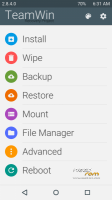
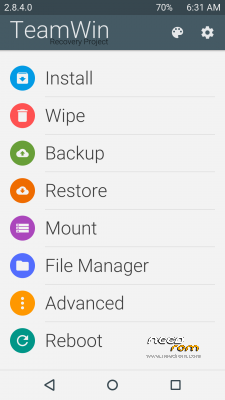
TWRP v2.8.4.0 Recovery Material Design For Android v4.4
Install Recovery:
1)Download TWRP v2.8.4.0 and Rashr Flash Tool.UnRAR and put the two files to internal device storage.
2)Install the Rashr – Flash Tool v2.2.8.apk and run it.
3)Select "Recovery From Storage" and give the TWRP v2.8.4.0.img file,choose "Yes,Please".
4)DONE.
※Please make a backup of your device before installing or updating ROM
Would not install on mine.
only need a text editor for file explorer, but it's the best recovery for me and my z7 max.
how to install it any toturial?
For install this recovery you must have other recovery (CWM) and you flash the zip of TWRP in the recovery, when you reboot the phone into recovery the TWRP starts and the other recovery dissapear
@arceoxis thats not flashable custom recovery..
use this Tools to flash via computer/laptop
https://www.dropbox.com/s/jbic.....nx505j.rar?dl=0
Not need PC to flash Recovery,you can do it from your mobile with (Rashr Flash Tool) read the instructions on top.
The other version was a flashable zip, this new version isn't it.
can this TWRP on zte V5 MAX (N958St) ?
Absolutely NO.
Can this recovery do automatic official update ?
No support FOTA Updates install.
But you cand downoad the update and install from this recovery.