
- Title: TWRP 2.8.7.0.
- Listed: December, 2015
- Last modified: 03/03/2016 8:05 pm
- Version: recovery
You must be logged for ROM download.
21169 total views, 2 today
7 Total favorites
 Member Info
DESCRIPTION
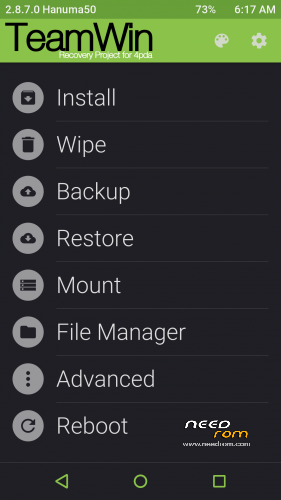
TWRP 2.8.7.0 for Elephone P8000 – test v4-1
The author is Hanuma50, not me. Very thank him for to compile this latest version for us. The only reason why I recorded it here is to help many English speakers who can't access to Russian forum - they don't speak Russian, can not handle the registration. I hope the author will not be angry I recorded it here. If so, I will delete it. This are a test version, but works well. It was ported from other phone. Perhaps someone will make version from source codes soon.
How to install it to mobile phone:
a) from old recovery, use file TWRP2870_v4-1_CWM.zip
b) Flash the recovery.img file with app Flashify (need ROOT), use file TWRP2870_v4-1.zip
- How to ROOT:
- go to Settings/About phone -> click 8x on "Build number", will get new entry "Developer options" in "Settings"
- go to Settings/Developer options -> enable "OEM unlocking"
- from Google Play download and install "SuperSU" apk - https://play.google.com/store/apps/details?id=eu.chainfire.supersu
- SuperSU will promt, use "Normal" binary instalation (restart phone)
- after phone restar you will have ROOTed phone -> very easy
- unpack TWRP archive file in PC, move recovery.img file to phone (SD card)
- install Flashify apk prom Google Play - https://play.google.com/store/apps/details?id=com.cgollner.flashify
- use Flashify to install recovery.img file (Flash->Recovery image->Choose a file->File explorer->Select your "recovery.img" file -> "/sdcard" folder-> click "YUP!"
- done, restart to recovery -> OFF the phone, then press and hold Power and Volume+ tiill you will see
- by pressing button "Volume+" set "Recovery mode"
- press "Volume-" to start TWRP recovery
c) Flashtool
- install drivers (as administrator), file "Driver_Auto_Installer_EXE_v5.1453.03n.rar"
- unpack Flasher archive in PC, file "SP_Flash_Tool_exe_Windows_v5.1528.00.000"
- unpack TWRP archive in PC, file "TWRP2870_v4-1.zip"
- run Flashtool
- click on "Scatter-loading" button and in folder where you unpacked TWRP archive choose file "MT6582_Android_scatter.txt"
- it should be checked only one item "recovery"
- switch OFF your phone
- first click on "Download" button and then connect your OFF phone to the PC
- the bottom line will take place yellow, purple and red stripes. Successful upload is indicated as on picture:

- done, restart to TWRP recovery (press and hold together "Power" and "Volume+" buttons)
- will see:
- by pressing button "Volume+" set "Recovery mode"
- press "Volume-" to start TWRP recovery
Other important instructions:
- Do not forget erase file recovery-from-boot.p from System folder, otherwise, it restores stock recovery after the restart
- "UPDATE-SuperSU-v2.46" or "SuperSU_Pro_v2.49" - the latest stable ROOT istallation file from recovery
※Please make a backup of your device before installing or updating ROM
I flashed "TWRP2870_v4-1.zip" successfully. But now when I try to go in recovery mode, all I see is teamwin logo and nothing else.