
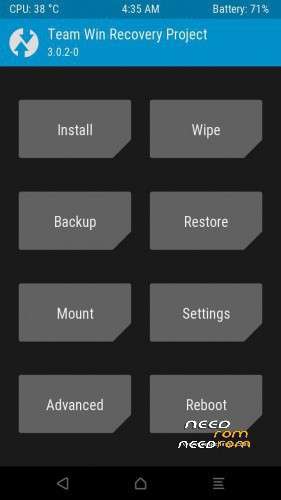
- Title: TWRP 3.0.2 for A5 ready and Rooting files
- Listed: May, 2017
- Last modified: 05/01/2017 10:52 pm
- Version: ANDROID 6
You must be logged for ROM download.
11590 total views, 1 today
2 Total favorites
 Member Info
DESCRIPTION
TWRP for A5 ready Android 6 only.
Flash the twrp with the SP flashtool.
Reboot to recovery and flash the zip files,first the 1.zip.
After reboot to system and the phone will be rooted with SU.
You can try twrp without installing it.
In fastboot mode unlock bootloader by typing fastboot oem unlock follow the instructions on phone's screen and type fastboot reboot after that the phone reboots twice and the phone factory reseted.Reboot again in fastboot mode and type fastboot boot name.img and the phone boots the twrp recovery. Now you can root the phone by flashing the two zips and backup your phone.
name.img is the name of the downloaded twrp and you may put it in adb directory on your disk c:
Ask me or search google for more instructions.
※Please make a backup of your device before installing or updating ROM
THX BRO YOU ARE THE BEST
Endless rebooting to TWRP after flashing – tried both ways – spflashtool and fastboot flash.
This works perfectly for my Allview A5 Ready phone! It was hard since I've had to make my own Android scatter file but after that, I was able to flash the recovery file, then root it with these 2 SuperSU archives.
So the steps was pretty straight-forward for me: Flash the recovery file with SP Flashtool, reboot into recovery mode then flash the archives (first flashing the 1.zip then 2.zip) and now the phone is rooted with SuperSU Pro + it has TWRP as well! Nice one nikosdfs! ^^