
- Title: TWRP 3.0.0.0 megthebest
- Listed: February, 2016
- Last modified: 02/15/2016 11:57 pm
- Version: TWRP megthebest
You must be logged for ROM download.
17002 total views, 1 today
19 Total favorites
 Member Info
DESCRIPTION
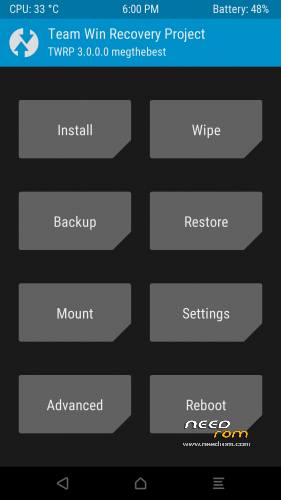
TWRP 3.0.0.0 for ULEFONE POWER
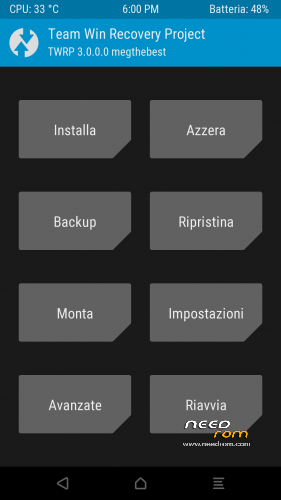
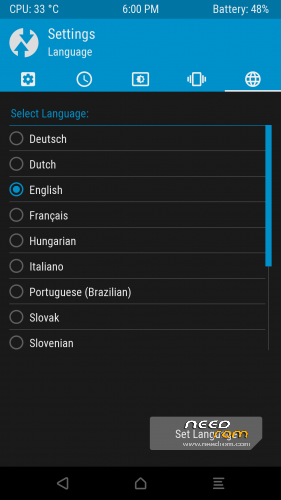
MULTILANGUAGE (more than 10 languages, Italian Translation thanks to freedgt/bovirus)
ONLY ANDROID 5.1 —> Not suitable for Android 6 incoming update
NO BUGS, ALL FIXED
GUIDE:
Download and Install correctly Mediatek Preloader drivers
( Take care on Windows 8.1/10 drivers, you need to disable driver signature before install:)
https://www.youtube.com/watch?v=50pD0mONm44
http://laurentiumihet.ro/technology/windows-10-mtk-vcom-usb-drivers-for-32-64-bit-drivers-installation-tutorial/
https://thebroodle.com/microsoft/windows/install-mediatek-mt65xx-usb-vcom-drivers-windows-8-8-1/
UNPACK RAR in A FOLDER
1- With flashtool load MT6753_Android_Scatter-TWRP 3.0
2- Select download and connect smartphone to pc (smartphone must be powered off)… in few seconds will start the process and the new TWRP will be flashed.
To restore original stock recovery, you need load ad point 1 the file MT6753_Android_Scatter-Stock.txt
P.P.S to enter in the recovery, power off the smartphone, push VOL + and Power at the same time, you will see three words with VOL + you move selection, with VOL – you must select Recovery
During first boot of twrp, allow modification of system files, according to this screen (if you leave read only, you loose TWRP at second boot):
To have root flash with TWRP the archive supersu.zip found here: https://download.chainfire.eu/696/supersu/
Credits: TEAMWIN TWRP TEAM, https://twrp.me/site/update/2016/02/05/twrp-3.0.0-0-released.html
PLEASE Donate if i help you and Support Me with 5 Stars!
※Please make a backup of your device before installing or updating ROM
Awesome! Thank you very much. For me event the time zone feature seems to be working fine Just the CPU temperature seems to be missing (permanent "0"). All in all, very good work, thank you @megthebest
(Update done via Flashify and megthebest's previous TWRP release)
Hi megthebest
i am interested in learning this stuff myself…
Where did you learn the skills to do so?
and thx for your work
all stuffs and learing from XDA guru such as: Carliv, Biggrammy,yuweng, TWRP guys and some guides you can find on xda.
Works great!
TWRP 3 all fixed..
full multilanguage with pleanty of languages!
Greetings Meg
I noticed that my sim card is not detected anymore. How can I fix it?
I have already tried to factory reset, flash the stock recovery boot, flash twrp again, flash the official rom again, but nothing works.
Thanks!TWRP 3 all fixed..
Hi, first of all thanks for your great work!
Would you mind telling us the benefits of this custom rom?
Thanks in advance
Best regards
It's weird.
I received the message that everything was succesffuly flashed, but when I turn it on, I receive no message asking me to alow changes, or when I try to boot recovery, I can see only chinese characters.
Any idea why, Meg?
It's done
Very happy
http://blog.ulefone.com/how-to.....-ulefone-power/
Will there ever be cyanogenmod for ulefone power?
Hey, today I got my Ulefone Power and downloaded the offical update. After this, I flashed with SP Tool your TWRP, but it shows me in Recovery mode triangle with "No command". After pressing vol+ and power again, I access the stock recovery menu fromulefone. Now I pressed on "Reboot in Bootloader" and my phone shows only "=> Fastboot mode…" and does nothing..
Can anyone help me please?
Hi, when i power off my phone, press download, and connect my phone to my PC… nothing happens?
I do no know what to do now, any ideas? thanks!