
- Title: TWRP 3.0.2-1
- Listed: April, 2016
- Last modified: 04/13/2016 2:18 pm
- Version: 3.0.2-1
You must be logged for ROM download.
18468 total views, 1 today
3 Total favorites
CUSTOM
 Member Info
DESCRIPTION
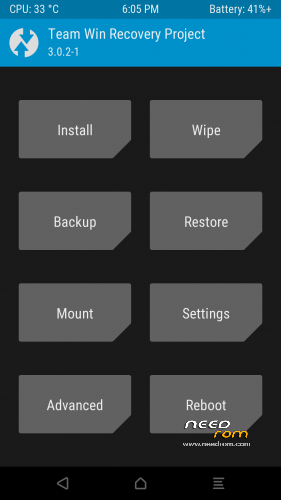
Official TWRP 3.0.2-1
(v.1) folder backups in /TWRP/BACKUPS/automatic name/
(v.2) Revision Edit folder backups in /TWRP/BACKUPS/Lenovo K50-T5/
(v.3) Revision Edit folder backups in /TWRP/BACKUPS/Lenovo_K50-T5/
Support: cz – de – el – en – es – fr – hu – it – nl – pl – pt_BR – ru – sk – sl – sv – tr – uk
For everyone. The folder for saving the backups is still editable. Just rename the name via the file manager.
※Please make a backup of your device before installing or updating ROM
The phone does not boot after flashing the new recovery v.3 ! Name backups is " 6S9DIFUSS4SWAYPR " ! No "Lenovo K50-T5" !
I was having TWRP 3.0.0-3 installed.
I had also taken a backup with the same TWRP (3.0.0-3) which is currently present in my sd card at /TWRP/BACKUPS/Lenovo_K50-T5/<auto generated name>
Now, I flashed TWRP 3.0.2-1 and I do not see the backup when I go to the restore option.
What has to be done?
exact name of new TWRP: recovery_TWRP_3021_K50v.3.img (i.e. version .3)
I reverted my TWRP to 3.0.0-3 and now I can see the backups in the restore option.
Please check what is wrong with TWRP 3.0.2-1 or what am I missing here.
@vijayinani
Do not you miss anything and there is nothing wrong in TWRP3.0.2-1.
Just move your backups in the folder that generates 3.0.2-1.
ok . let me try this . will update
yes, able to see the folder now .. wierd folder name .. can we have some standard pls . even v .3 has the folder name issue.
also what is this new .twrps file?
Works on 5.1 or only for 6.0???
LL and MM
@Iceman Yay, nice!
Thank you.
this is the new folder name under 3021 V3:
KBYDV8JZJZNFN79P
this is the reason that we cannot see the 'older' back up under 3003. so the V3 did not changed the folder name under k50-t5. it still use auto generated name. but it is OK i copied all backup to my pc, then copy back to this new folder. it works.
It was so difficult? great!
Even in this version (v3) it still can not read older backup and generates some random folder name on backup process
@dewasalah
It is not a random name … is the serial number of your device
and it's hard to share backup between this version 'cause they have to make first backup or other else to know the serial number of their devices
and then extract/copy someone else backup on the net,
Finally restoring the backup