
- Title: TWRP 3.0.2-1 Oukitel C2 megthebest
- Listed: April, 2016
- Last modified: 04/12/2016 12:05 am
- Version: Oukitel C2 TWRP
You must be logged for ROM download.
12343 total views, 1 today
 Member Info
DESCRIPTION
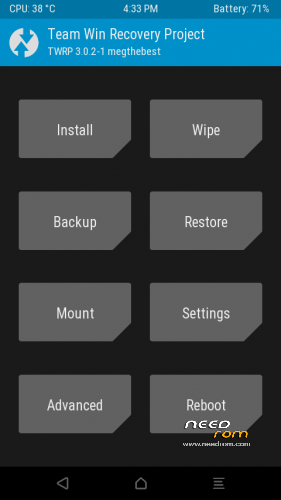
TWRP 3.0.2-1 for OUKITEL C2
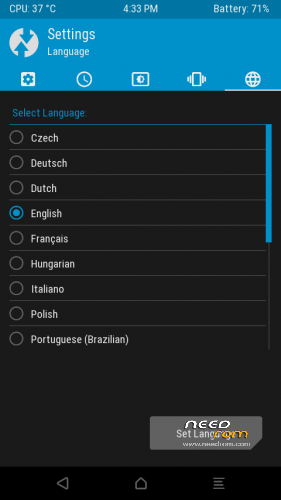
MULTILANGUAGE (more than 10 languages)
Tested ON LATEST 2.3 Rom January 2016
GUIDE:
Download and Install correctly Mediatek Preloader drivers
( Take care on Windows 8.1/10 drivers, you need to disable driver signature before install:)
https://www.youtube.com/watch?v=50pD0mONm44
http://laurentiumihet.ro/technology/windows-10-mtk-vcom-usb-drivers-for-32-64-bit-drivers-installation-tutorial/
https://thebroodle.com/microsoft/windows/install-mediatek-mt65xx-usb-vcom-drivers-windows-8-8-1/
UNPACK RAR in A FOLDER
1- With flashtool load MT6580_Android_Scatter-TWRP3
2- Select download and connect smartphone to pc (smartphone must be powered off)… in few seconds will start the process and the new TWRP will be flashed.
To restore original stock recovery, you need load ad point 1 the file MT6580_Android_Scatter.txt
P.P.S to enter in the recovery, power off the smartphone, push VOL + and Power at the same time, you will see three words with VOL + you move selection, with VOL – you must select Recovery
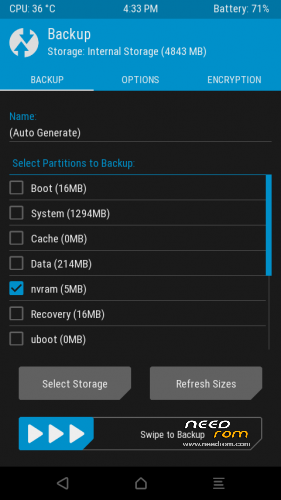
During first boot of twrp, allow modification of system files, according to this screen (if you leave read only, you loose TWRP at second boot):
To have root flash with TWRP the archive supersu.zip found here: https://download.chainfire.eu/921/SuperSU
Credits: TEAMWIN TWRP TEAM, https://twrp.me/site/update/2016/02/05/twrp-3.0.0-0-released.html
PLEASE Donate if i help you and Support Me with 5 Stars!
※Please make a backup of your device before installing or updating ROM
Thanks, Grazie!! it was so easy with this device.. also because i can check with my device and no issed with kernel too!
it also works on the latest OTA update of April 2016 v.2.6
any custom roms?