
- Title: TWRP 3.0.2-2 Paris X
- Listed: May, 2016
- Last modified: 05/28/2016 12:28 pm
- Version: 3.0.2-2
You must be logged for ROM download.
13806 total views, 1 today
1 Total favorites
CUSTOM
 Member Info
DESCRIPTION
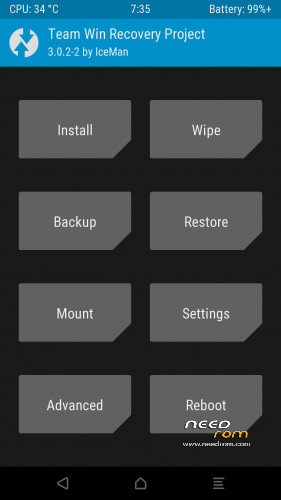
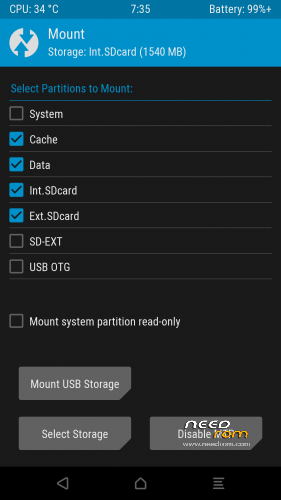
TWRP 3.0.2-2 for Paris X MT6735
.-Default time zone Berlin, Brussels, Paris;
- Default time in 24H;
- Screen timeout 120 secs.
- UMS enabled;
- Fix temperature;
- Backups folder in ro.product.model;
- Internal storage path in /data/media;
- Always visible Partition SD Card;
- Reboot Bootloader;
- Reboot Download
- exfat support update
-Basic source code:
https://github.com/lj50036/platform_manifest_twrp_omni/commits/twrp-6.0
Source code variant 3.0.2-2:
https://github.com/IcemanDev/Twrp-3.0.2-2-Umi-X3/blob/master/README.md
※Please make a backup of your device before installing or updating ROM
How do you flash TWRP? After flashing via Smart Phona Flash Tool (performing Download with only Recovery tickled) and trying to boot to recovery immediately after flashing, it still shows stock recovery mode.
How can I get to TWRP?
If this is the first time you try to change a recovery you need to install TWRP 3.2.0-2 with the entire firmaware.
Grazie, yes this is my first time. Does that mean that I download firmware and replace the "recovery.img" in the firmware with TWRP "recovery.img" and then I let "Download" everything (everything tickled)?
The same way as if installing new firmware?
Never mind, I installed PERFECT ROM V2 from cuvetto and it has TWRP and it works. Thanks!
Ok.
Hi
I am using this and I noticed when I encrypt my phone and then factory reset it it can't mount the filesystem to delete it so nothing happens. Is this something that's fixable?
with file manager deletes the folder /cache/ and /data/media (only media). reinstall the TWRP and then make sure the file system is mounted read-only.
Is there a twrp and root available for Marshmallow for Paris?
No