
- Title: TWRP 3.0 (Golden Interface) MT6753
- Listed: April, 2016
- Last modified: 04/07/2016 1:58 pm
- Version: 5..1.1
You must be logged for ROM download.
14379 total views, 1 today
5 Total favorites
CUSTOM
 Member Info
DESCRIPTION
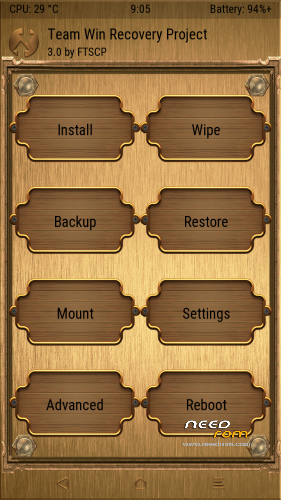
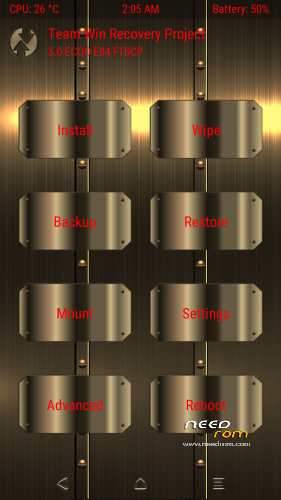
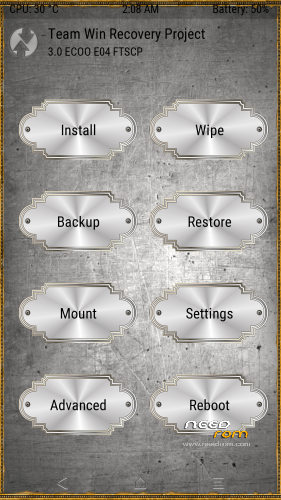
Recovery TWRP 3.0 for ECOO E04 (MT6753). Install with recovery.
Golden skin made by me put the ui.zip file in internal memory:/TWRP/theme (case sensitive)
※Please make a backup of your device before installing or updating ROM
Well done … bravo bravo
Please, how could I change the language?, Is it possible in Spanish?. Thanks.
Go to settings, click on the globe icon on the top. To see SDCards (Int and ext) on pc in recovery go to mount and click Disable MTP and click again Enable MTP

OK ftscp, it works properly. Thanks.
Please! Will THERE BE CUSTOMIZED FIRMWARE FOR ECOO E04 MT6753???. It is because I have some troubles with the current version 5.1 ECOO_E04_3GB+_20151010 because the screen protector skips and the notification bar is blocked, therefore I want to change to another ROM . Please help me!!. Thanks.
I'm working on MokeeOS and CM12.1 but there are several bugs to be solved and it takes time. In this page you have official update (26/10/2015), i'm using it without problems.
Excellent work, thank you.
2 skins added, put in theme path and rename as ui.zip
This worked for me on first try. It booted, anyway. I did not test installing a zip. Many thanks!
It works!
thank you, it would be great to see custom firmware.
CM12.1 and MokeeOS are working with all basic functions (bugs fingerprints, rádio and flipcover) i'll upload it soon.
I don't really understand how to install themes
In internal SD make a folder named TWRP, inside this make a directory theme, inside this directory put the theme you want and rename it ui.zip, reboot recovery and the theme is aplied.
Internal SD/TWRP/theme/ui.zip
Cm working that well? Am very excited. Thank you so much