
- Title: TWRP 3 MM BETA
- Listed: May, 2016
- Last modified: 05/02/2016 1:23 pm
- Version: Power MM 64Bit BETA
You must be logged for ROM download.
16302 total views, N/A today
5 Total favorites
 Member Info
DESCRIPTION
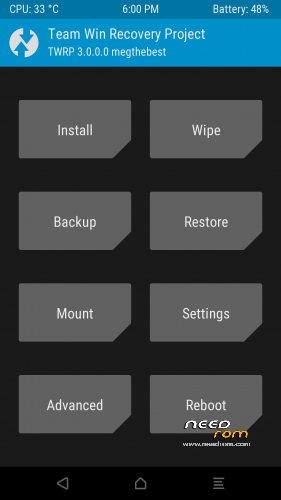
TWRP 3 for ULEFONE POWER
MULTILANGUAGE
ANDROID 6.0 64 Bit 27042016 (to test with)
GUIDE:
Download and Install correctly Mediatek Preloader drivers
( Take care on Windows 8.1/10 drivers, you need to disable driver signature before install:)
https://www.youtube.com/watch?v=50pD0mONm44
http://laurentiumihet.ro/technology/windows-10-mtk-vcom-usb-drivers-for-32-64-bit-drivers-installation-tutorial/
https://thebroodle.com/microsoft/windows/install-mediatek-mt65xx-usb-vcom-drivers-windows-8-8-1/
UNPACK RAR in A FOLDER
1- With flashtool load MT6753_Android_Scatter
2- Select download and connect smartphone to pc (smartphone must be powered off)… in few seconds will start the process and the new TWRP will be flashed.
P.P.S to enter in the recovery, power off the smartphone, push VOL + and Power at the same time, you will see three words with VOL + you move selection, with VOL – you must select Recovery
During first boot of twrp, allow modification of system files, according to this screen (if you leave read only, you loose TWRP at second boot):
To have root flash with TWRP the archive supersu.zip found here: https://download.chainfire.eu/932/SuperSU
Credits: TEAMWIN TWRP TEAM, https://twrp.me/site/update/2016/02/05/twrp-3.0.0-0-released.html
PLEASE Donate if i help you and Support Me with 5 Stars!
※Please make a backup of your device before installing or updating ROM
for me does not work, it is restarting again and again
could you try this?
thx its working
Working great, thanks for your hard work.
this is working perfectly!!!!!!!! Thanks!!!
@megthebest: great, you're the man. Twrp, root and IR is Wirkung.
Thx
Doesn't work on version from 8.6.2016.
Please help need root!
Thanks
when trying to boot the recovery via fastboot i get:
[code]
fastboot boot ~/Downloads/Ulefone\ Power\ TWRP\ 3\ MM\ New/Ulefone\ Power\ TWRP\ 3\ Marshmallow.img
downloading 'boot.img'...
OKAY [ 1.140s]
booting...
FAILED (remote: invalid kernel address: not lie in memory)
finished. total time: 1.142s
[/code]
do i really need to set up a windows machine and flash to recovery to do this? I'd love to just boot into the recovery and add su to the phone but staying vanilla besides that
Hi there,
I hope anyone can help me …
I managed to flash TWRP – however, after entering into recovery it shows up the message "no command" (in german: "kein Befehl").
What I have to do in order to get root?
Thanks