
- Title: TWRP for HomTom HT16 Pro
- Listed: January, 2017
- Last modified: 01/26/2017 4:24 pm
- Version: 3.0.3
You must be logged for ROM download.
13135 total views, 1 today
3 Total favorites
 Member Info
DESCRIPTION
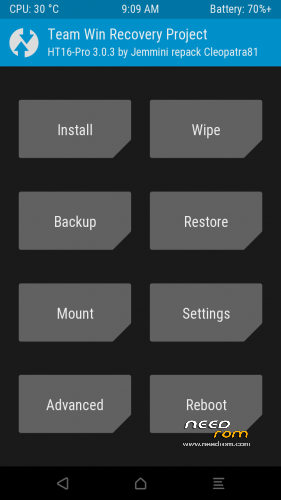
TWRP for HOMTOM HT 16 Pro
Touchscreen only works when booted via fastboot. Please follow the description carefully!
Made by Cleopatra @ Chinaphonearena
Description how to use:
FOLLOW CAREFULLY THE NEXT STEPS (TWO STAGES):
Above all save your Titanium backup into your pc.
And then, download the twrp at the next link:
http://www.mediafire.com/file/zp5j572a44d7nm5/HT16_Pro-twrp_3.0.3.rar
STEPS TO DO ONCE ONLY:
1 ) Install (click always YES) "adb-setup-1.4.2.exe" from the next links:
http://www.mediafire.com/file/2df821420xpdp48/ADB_1.4.2.rar
2 ) Connect your phone to your pc with USB cable.
3 ) Open CMD (command prompt).
4 ) Type the next command:
adb reboot bootloader (and press enter)
5 ) Type the next command:
fastboot getvar all (and press enter)
6 ) You should see "bootloader unlocked: no"
7 ) Now type the next command :
fastboot oem unlock (and press enter)
8 ) Press volume up (into your phone) to confirm to unlock the bootloader.
9 ) You will see in the CMD prompt the next messages:
"Start unlock flow", and when it will be finished, you will see "OKAY".
10 ) Now type the next command:
fastboot getvar all (and press enter)
11 ) Now you should see "bootloader unlocked: yes"
STEPS TO DO EVERY TIME YOU NEED TWRP RECOVERY:
1 ) Copy the recovery.img (twrp recovery).
2 ) Paste the recovery.img inside C:\adb (the folder called "adb")
3 ) Disable OEM unlocking (Developer options).
4 ) Connect your phone to your pc with USB cable.
5 ) Open CMD (command prompt).
6 ) Type the next command:
adb reboot bootloader (and press enter)
7 ) Type the next command:
fastboot boot c:\adb\recovery.img (and press enter)
8 ) Enjoy.
Keep in mind that you need your pc every time you will need to enter into twrp recovery.
I suggest you to make immediately the backup of the NVRAM section.
※Please make a backup of your device before installing or updating ROM
Works great!!! Thanks Cleopatra for creating and thanks MegaV0lt for uploading
I would like to add the operations for
ROOT and BUSYBOX (by Cleopatra)
Unrar and copy the 2 zips into microSD.
Boot into the twrp (see: STEPS TO DO EVERY TIME YOU NEED TWRP RECOVERY)
Tap on "Install".
Tap on "Select Storage" and tap on "Micro SDCard".
Tap on "UPDATE-SuperSU-v2.79-20161211114519.zip".
Swipe to confirm Flash.
When installation is finished, swipe to reboot -> Reboot in normal mode
Do not forget to tap on icon of SuperSu (to activate it)
Then, reboot into twrp mode and install BusyBox zip
Tap on "Install" and repeat the same steps for BusyBox.zip
i cant understand how to enter to recovery after flash it? how to use the pc to enter twrp recovery?
didn't work on my ht16 pro. it boots the twrp but the touchscreen events didn't get evaluated. this means, i can't input anything, thus this is unusable.
need to correct me. sure it works but as described in the TO guided description, you need to fastboot it from the remote image. if you try to boot the recovery image, the touchscreen didn't work. follow the steps in the TO first post.
Tried it. Got stuck after installing SuperSu in a TWRP bootloop. It starts TWRP, it wants to install, but I see loads of red line with unable to mount /data and so on. Can't get into system.
Help?
Oke, got it fixed. I now have my HT16 Pro working again. But no root.
Nem indul el a telóm tőle :/
Ráteszem a telómra és a homtom feliratnál megáll a telóm
Esetleg kell még valamit tennem miután ráteszem a telómra?