
- Title: twrp LeEco Le Pro 3
- Listed: November, 2016
- Last modified: 11/07/2016 3:16 pm
- Version: 3.0
You must be logged for ROM download.
18403 total views, 2 today
4 Total favorites
 Member Info
DESCRIPTION
rate only 5Start if i helped you,
Installation Guide-
Go to Setting>about Phone>type 7 time Build number > Back>Developer Option and Enable Device Debugging And Oem Unlock.
Now Install Correct adb and fastboot Driver on Your pc, Go to adb folder connect device into pc open Cmd Here and type command > Adb Reboot bootloader
Your Device Booted in Fastboot Mod To check Device connectivity type
Fastboot Devices
to unlock Bootloader
Type Command
fastboot oem unlock-go
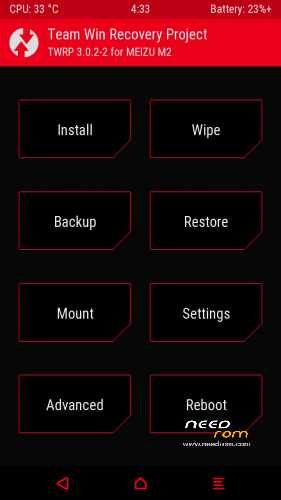
Rename twrp into recovery.img and put in adb Folder, To flash twrp Type
Fastboot flash recovery recovery.img
Recovery is Now Flashed [installed] make a System Reboot By this Command
Fastboot Reboot,
Support Source-
http://www.stupdroid.com/2016/10/root-recovery-rom-LeEco-LePro-3.html
※Please make a backup of your device before installing or updating ROM

|
How do I download this?
folow external link,
Can this be flashed to the AI (X651) version via SP Flash tools or ADB?
Si può ustre anche su LEX650?