
- Title: TWRP Thor
- Listed: January, 2017
- Last modified: 10/23/2016 2:41 am
- Version: TWRP 3.0.2
You must be logged for ROM download.
16547 total views, 2 today
9 Total favorites
CUSTOM
 Member Info
DESCRIPTION
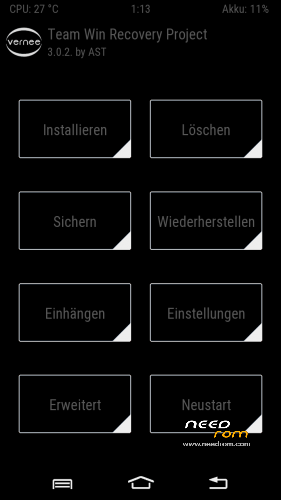
Some people have trouble with TWRP since last update (thor_20161008).Here is the new version.
Including:
-TWRP 3.0.2
-stock-recovery (for updates)
-scatter txt
for all Thor devices
※Please make a backup of your device before installing or updating ROM
Stock Recovery doesn't work… there comes just the message "No command". Doing "Download Only" and the Stock img-File is selected at "recovery". Am I doing something wrong or is it just broken?
No wrong or broken ! Just a little bit inexperienced.
Here is the instruction in german.
http://www.android-hilfe.de/th.....robleme.817090/
Thanks for the link, but that adresses not my problem.
I'm flashing the original recovery with the SP Flash Tool as said here by loading the scatter file "MT6753_Android_scatter.txt" and copying the "recovery_Thor_orig_20161008\recovery.img" beside the scatter file before.
Flashing the TWRP-Recovery works fine (taking "recovery_Thor_TWRP_20161008\recovery.img"). The TWRP-Recovery showing up after turning the phone on by pressing the power button and volume-up together and selecting "[Recovery Mode]" afterwards. But if I do the same process with the recovery image from "recovery_Thor_orig_20161008\recovery.img" the original recovery doesn't show up. The failure displayed is an image of an lying android with a red callsing an the message "No command." underneat.
On the flashing process there is "Download only" selected and in the list only "recovery" with the right location of the image file selected.
I need the original recovery, since the phone is returned for repairing and the maybe complain about an non original recovery otherwise…
Found solution for my problem as described above (red callsign saying "no command" on original stock recovery):
You simply have to press Power + Volume Up quickly one after the other. Don't press long or hold – just a quick "Power" and then "Volume Up" and the menu appears.
Credit/Source: http://bbs.vernee.cc/forum.php.....ad&tid=834
o.k. …thas was wrong!
you have to QUICKLY press the Volume Up & Power together …really quick!